
Quick Summary
Power Apps, Copilot and AI agents help businesses build custom applications, automate workflows and improve decision-making, provided adoption is supported by strong governance and planning.
Key Takeaways
- Copilot helps business users create and refine Power Apps using natural-language instructions.
- Dataverse manages business data, while Power Automate connects apps to everyday workflows.
- AI agents can handle multi-step business tasks within defined permissions and controls.
- Data quality, licensing, security and employee adoption are essential for successful implementation.
Introduction
For years, building a business app meant writing specs, waiting on a development queue, and hoping the result matched what you had in mind.
Microsoft Power Apps has made this easier with low-code development. Now, with Copilot built in, you can help users build apps, work with business data and automate tasks using everyday language. AI agents can take things further by carrying out defined, multi-step tasks with less manual intervention.
For businesses looking to reduce admin, improve workflows and get more from their Microsoft technology, this opens up new possibilities.
But how do Power Apps, Copilot and AI agents work together? And what should you consider before adopting them?
Let’s take a closer look.
What is Microsoft Power Apps?
Power Apps is Microsoft’s low-code platform for building custom business apps without deep programming knowledge. Using drag-and-drop screens and simple Excel-like formulas (Power Fx), users can create apps that run on web, tablet, and mobile.
These apps connect to hundreds of data sources, including SharePoint, Excel, Dataverse, SQL Server, and Salesforce. As part of the Microsoft Power Platform, it works closely with Power Automate, Power BI, and Copilot Studio.
What does Copilot bring to Power Apps?
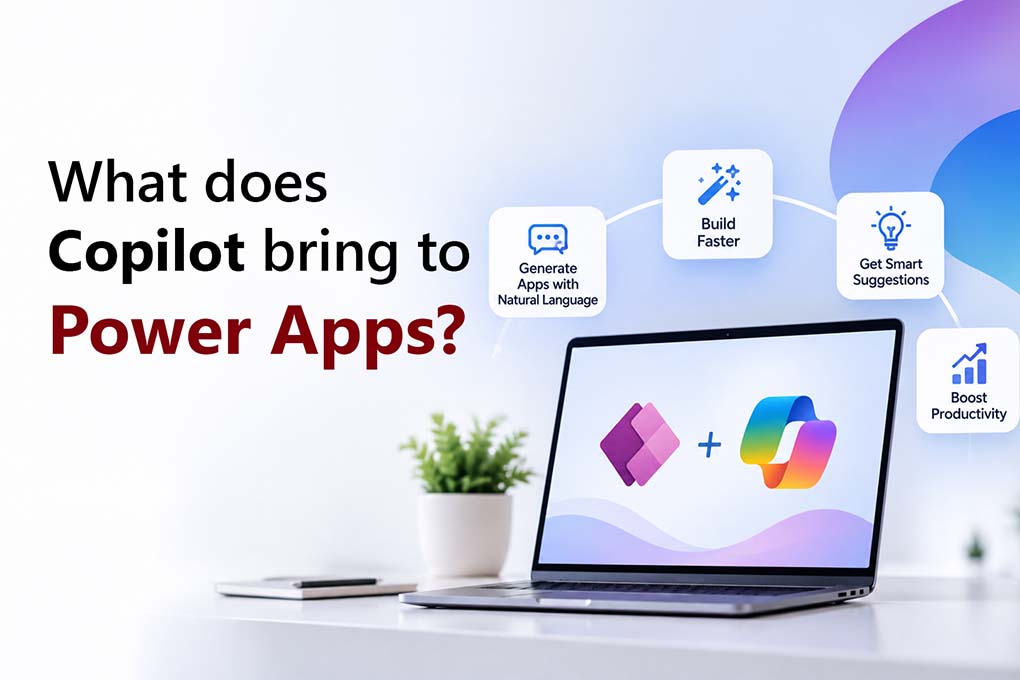
Microsoft Copilot brings AI assistance into supported Power Apps experiences. Instead of configuring every component manually, makers can describe what they want in natural language and use Copilot to help get started.
Imagine asking:
“Build an app to track equipment loans, including the item, employee borrowing it, issue date and expected return date.”
Copilot can help generate an initial app structure and data model. You can then review the proposed solution, adjust the fields and screens, and test whether it meets your requirements.
Copilot can also help with supported Power Fx formulas, explain how particular formulas work and assist with making changes to an app.
Its role doesn’t stop with app makers. In supported experiences, app users can also get AI assistance with finding information, summarising records and completing certain routine tasks.
The important distinction is that Copilot helps you build and use apps, but it doesn’t automatically make every app intelligent or ready for production. Available capabilities depend on the feature, app type, configuration and licensing.
Turn Manual Processes into Smarter Workflows
Identify where Power Apps, Copilot and AI agents can reduce repetitive work, improve visibility and support better business decisions.
How do Power Apps and Copilot Work Together?
There are two main ways Copilot can help: while building an application and while using it.
For app makers
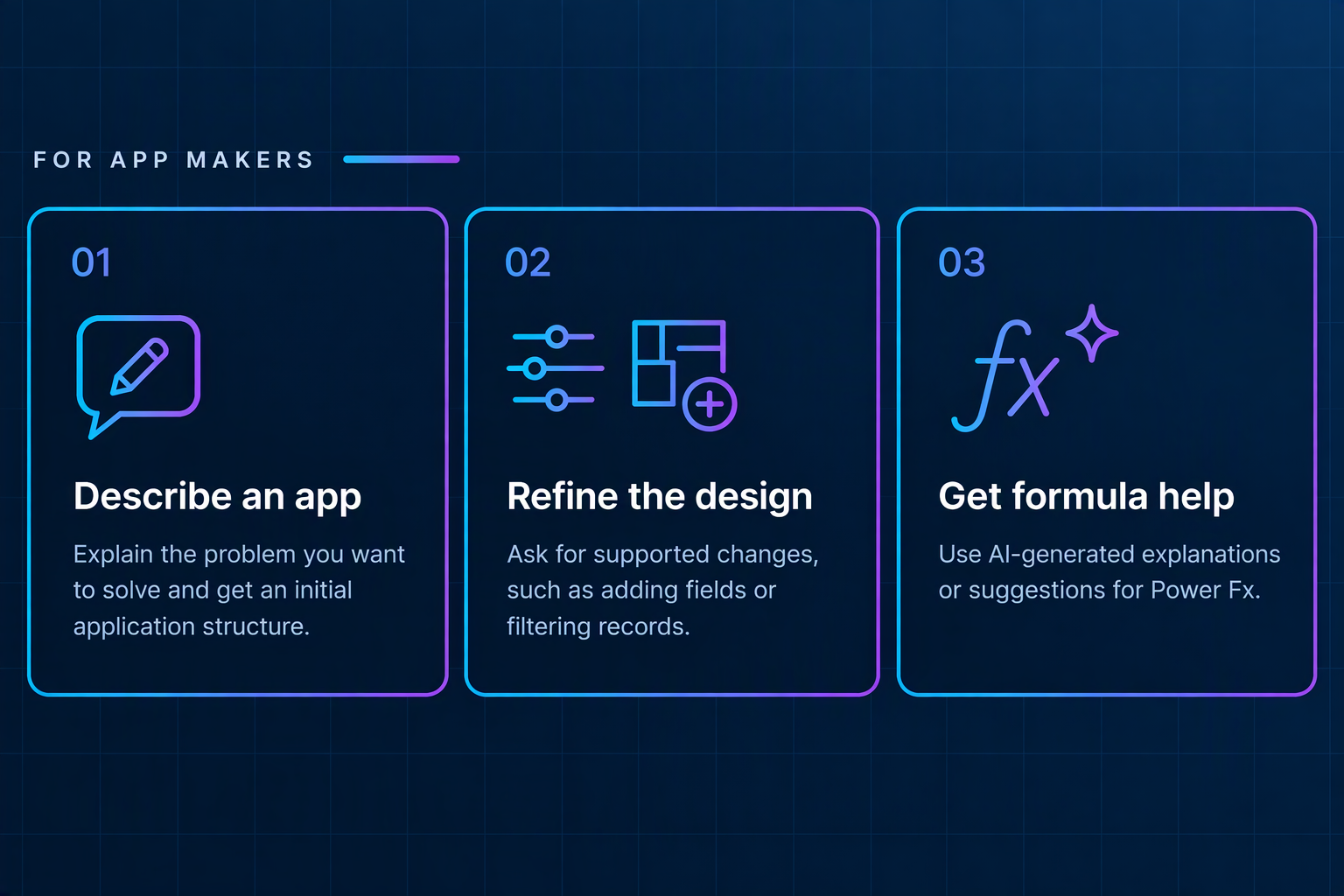
- Describe an app: Explain the problem you want to solve and get help creating an initial application structure.
- Refine the design: Ask for assistance with supported changes, such as adding fields or filtering records.
- Get formula help: Use AI-generated explanations or suggestions to work with Power Fx without needing to know every formula by heart.
For app users
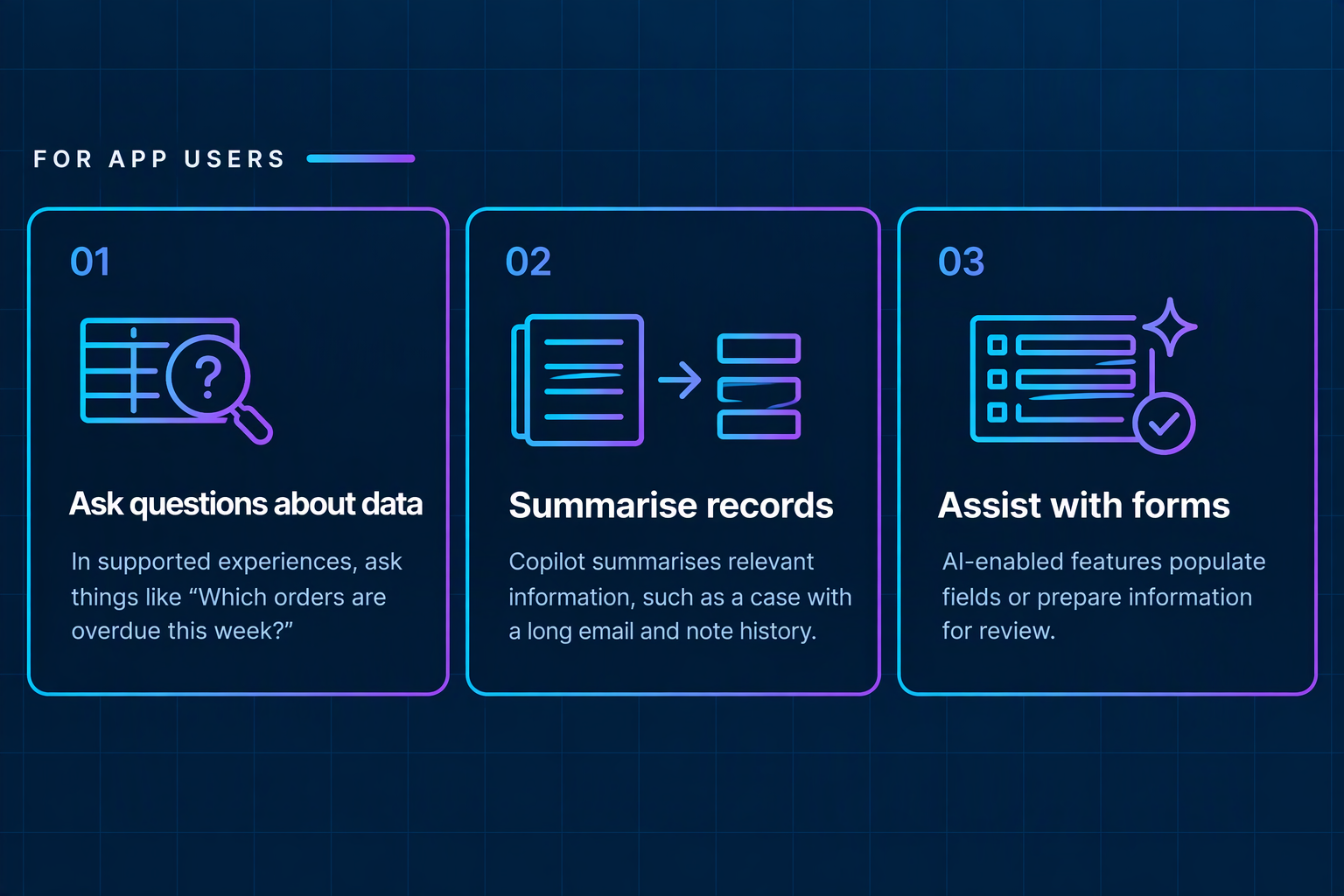
This makes it easier for people to interact with business applications without having to navigate every screen or manually search through every record.
However, AI-generated answers and formulas still need to be checked. The results depend on the quality of the underlying data, the user’s permissions and the capabilities enabled in the application.
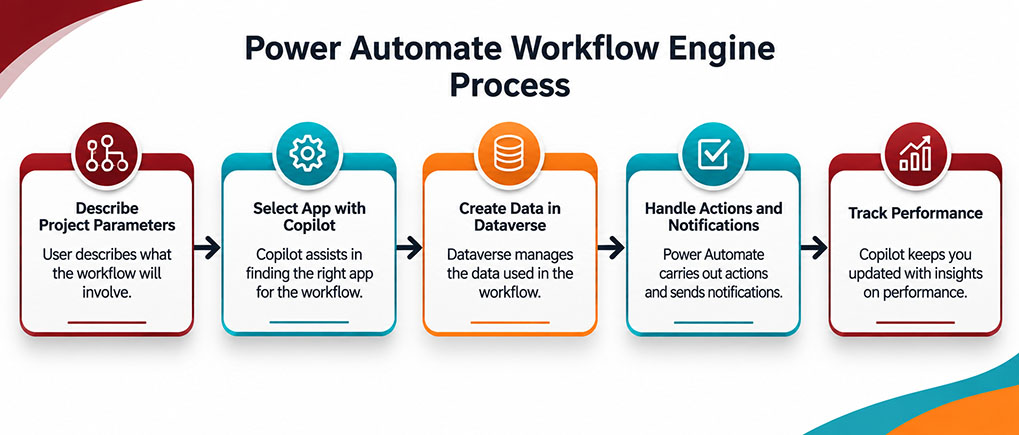
How Power Apps Uses Dataverse and Power Automate?
Copilot may help you create the app, but the application still needs somewhere to store information and a way to carry out actions.
That’s where Microsoft Dataverse and Power Automate come in.
Dataverse is the Data Foundation
Dataverse stores business information in structured tables, supports relationships between records and provides security controls to manage access. For example, an equipment-tracking app could store item details, employee names, loan dates and return status in Dataverse.
Power Automate is the Workflow Engine
Power Automate can trigger actions when a record is created or updated, send notifications, request approvals and connect with other systems through supported connectors.
Copilot can also help users create supported workflows from natural-language descriptions.
Together, these components turn an initial app into a more complete business solution.
Automating Leave Management with Power Apps and Power Automate
Suppose your HR team still manages leave requests through email. Here’s how a Power Apps solution could simplify the process.
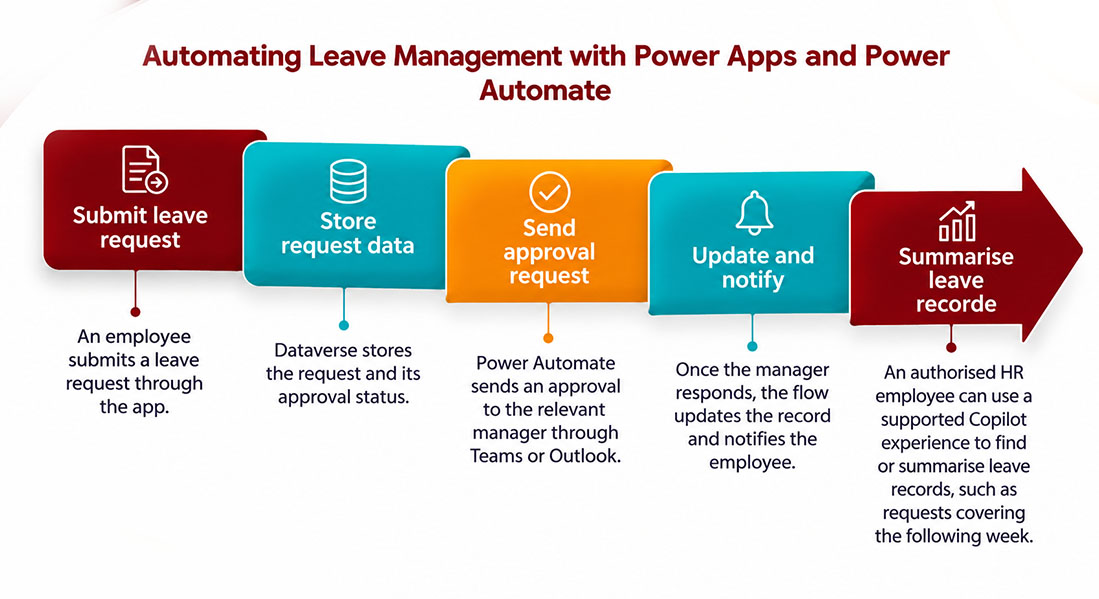
Instead of chasing emails and updating spreadsheets, HR has a more structured process with a clearer record of each request.
Approval rules, access permissions and exception handling still need to be configured and tested. Copilot can help with the setup, but it doesn’t replace those controls.
Practical Use Cases for Power Apps and AI
So, where could your business put these capabilities to work? Here are four examples.
1. Field Service: Inspections and Repairs on the Go
Power Apps supports offline scenarios for suitably configured mobile applications, but offline functionality must be designed and tested. Don’t assume every AI feature will work without connectivity.
In field service, A facilities manager needs technicians to record site visits, capture photographs and report faults without waiting until they return to the office.
Using Copilot, the manager could get help creating a mobile inspection app with checklists, GPS location, photographs and pass-or-fail results.
Technicians record their findings, while a manager can use a supported Copilot experience to ask, “Which sites failed inspection this month?”
Behind the scenes, Dataverse stores inspection records and Power Automate can create follow-up tasks and notify the maintenance team when an inspection fails.
2. Customer Service: Quicker Answers and Less Note-Taking
Customer service teams often spend valuable time reviewing previous emails, call notes and case updates before responding to a customer.
A model-driven Power Apps application brings case information into a structured workspace. Supported Copilot features can help summarise case histories, while an appropriately configured agent could gather relevant information or prepare a response for an employee to review.
Power Automate Copilot can route cases by priority, trigger escalation workflows and send status updates.
3. Procurement: Fewer Supplier Follow-Ups
Procurement teams often manage purchase requests, quotations and delivery updates through spreadsheets and email chains.
A Power Apps application could standardise purchase requests and route them through the correct approval process. For external supplier interactions, Power Pages can provide a portal where suppliers access permitted information and submit updates.
Copilot could help buyers identify requests awaiting supplier responses. Power Automate could handle multi-level approvals and reminders, while a suitably configured agent could assist with gathering supplier updates or flagging missing information.
4. Healthcare: Smoother Patient Administration
Healthcare providers can use Power Apps to support administrative processes such as patient intake, appointment coordination and follow-up tracking.
Staff could capture intake information through a tablet app, while care coordinators use another app to manage appointments and referrals.
Supported AI features could help authorised staff find or summarise permitted records. Power Automate could send approved reminders and flag overdue follow-ups.
Healthcare organisations must address privacy, access controls and applicable compliance requirements. AI-generated information must not replace clinical judgement or professional oversight.
Is Your Business Ready for AI-Powered Apps?
Get expert guidance on using Copilot and Power Platform to build secure, practical business applications.
How can AI Agents Take Power Apps Further?
Copilot and AI agents are related, but they aren’t the same.
Copilot typically assists a person with a task, like finding information, generating content or summarising a record. An autonomous agent can be designed to work towards a defined goal, use approved tools and carry out multiple steps within its assigned permissions.
For example, Copilot could help a buyer find an outstanding purchase request. A suitably configured agent could check the request against defined criteria, gather supplier information, initiate an approval workflow and flag exceptions for review.
Microsoft Copilot Studio helps organisations build tailored agents that work with approved data sources, tools and business processes.
The key is to establish clear boundaries. An agent that can update records or initiate transactions needs appropriate permissions, monitoring and human approval where required.
What Should Businesses Consider Before Adopting Copilot?
Building an app may be easier than before but deploying a reliable business solution still requires planning. Here are the essentials that businesses must consider before adopting the Copilot:
- Data quality: Check that the information your app relies on is accurate, complete and up to date. Poor-quality data can lead to misleading AI-generated answers.
- Security and privacy: Review who can access records, which data sources Copilot and agents can use, and what actions they are permitted to perform. Check the applicable Microsoft documentation and your organisation’s data-protection requirements.
- Licensing and cost: Power Apps, Power Automate, Dataverse and AI capabilities have different licensing and usage requirements. Confirm the costs of the specific features, connectors and users involved.
- Testing and human oversight: Test formulas, workflows, permissions and unusual scenarios before deployment. Decide which tasks can be automated, and which require human approval.
- Employee adoption: Involve employees in the design process and provide practical training. A solution only delivers value if people find it useful and adopt it in their everyday work.
What’s Next for Power Apps and Copilot?
For businesses, the opportunity isn’t simply to build more apps. It’s to make everyday processes easier to manage, reduce unnecessary manual work and help employees get the information they need.
The best approach is to start with one clear business problem, build a focused solution and measure the results before expanding further. This is where Mercurius IT helps. From bringing in the relevant expertise to having the industry specific experience and a certified team of expertise, Mercurius IT has everything.
Thinking about bringing Copilot into your business applications?
Mercurius IT can help you assess your Power Platform requirements and identify a practical starting point for your next business application.
Frequently Asked Questions
How much does it cost to develop and maintain a Power Apps solution?
The cost depends on the application’s complexity, number of users, data sources, integrations, licensing, and ongoing support. A simple departmental app will have different requirements from an enterprise-wide solution with multiple workflows and systems. Businesses should assess both development and ongoing running costs before committing.
Can Power Apps integrate with an existing ERP or CRM system?
Yes. Power Apps can connect with supported Microsoft and third-party systems through connectors, APIs and other integration options. The right approach depends on the systems involved, data requirements, the security model, and the integration’s complexity.
How can businesses measure the ROI of Power Apps?
Start by measuring the current process: time spent on manual tasks, approval delays, data-entry errors and administrative costs. After implementation, compare these measures with the new process. Adoption rates, time saved, process completion times and error reduction can help demonstrate business value.
When should a business choose custom Power Apps development instead of buying ready-made software?
Power Apps may be suitable when a business needs an application tailored to a specific internal process or wants to extend its existing Microsoft environment. Ready-made software may be more appropriate when the business needs a mature, standardised solution with extensive industry-specific functionality. The decision should consider total cost, complexity, scalability and long-term support.