
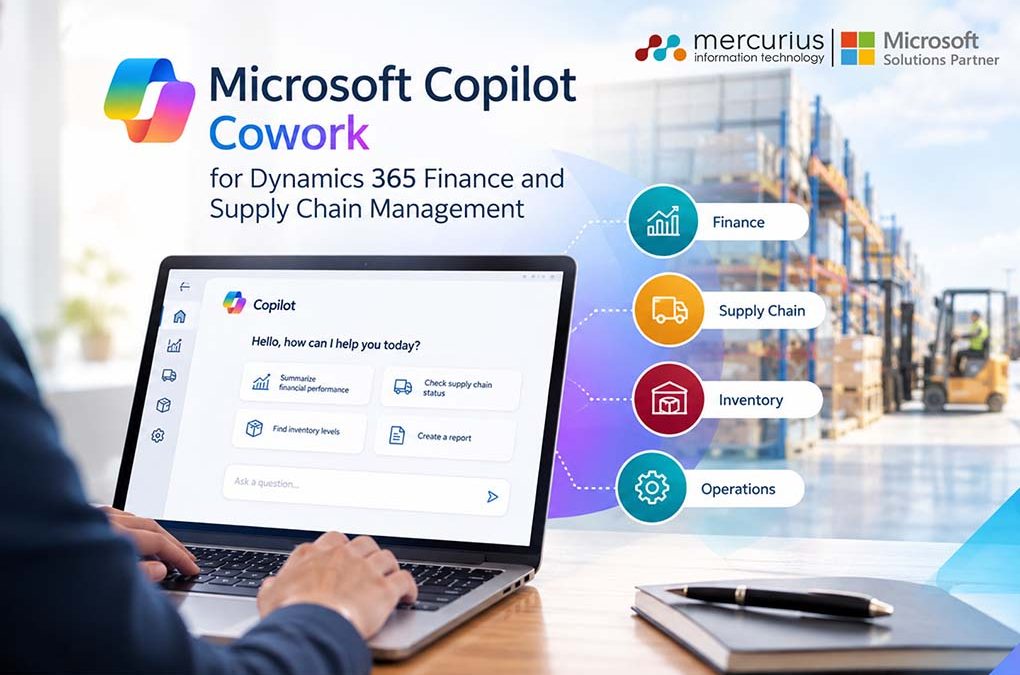
Quick Summary
Copilot Cowork is Microsoft’s new agentic layer inside Microsoft 365. It connects to Dynamics 365 Finance & Supply Chain Management through a governed MCP server. Copilot Cowork connects Microsoft 365 with Dynamics 365 F&SCM to execute multi-step workflows, automate routine work, improve visibility, and keep business leaders firmly in control.
Key Takeaways
- Microsoft Copilot Cowork moves beyond chat-based AI to autonomous, multi-step task execution across Microsoft 365.
- Work IQ connects organisational data, emails, files and business context.
- D365 F&SCM integration enables governed access to ERP data and actions.
- Finance, procurement and supply chain teams can automate complex workflows.
- Data, security roles, environment and version readiness matter before deployment.
- It is powered by Work IQ, an intelligence layer grounded in your organisation’s emails, meetings, files, and data
Introduction
ERP has always had one interface. The screen.
You log in. You click through menus. You find the record. Every task, one app at a time.
Copilot Cowork just broke that rule.
It’s not another chatbot bolted onto your ERP. It’s Microsoft’s attempt to make Dynamics 365 Finance & Supply Chain Management something you talk to from wherever you are already working. It could be an email, teams a spreadsheet and one conversation.
Sounds like marketing? It isn’t. In this blog, we will explore what it actually does, how it connects to your F&SCM environment, and whether your business is even ready for it.
What Is Microsoft Copilot Cowork?
Copilot Cowork lives inside Microsoft 365, not inside Dynamics 365 itself.
Microsoft Copilot Cowork is an AI work agent integrated into Microsoft 365. Rather than summarising emails or drafting replies on command, it receives your described goal, develops a plan, and executes it across Outlook, Teams, Excel, SharePoint, and connected business systems.
Think of it as an orchestrator. You give it a task in plain language. It breaks that task into steps, pulls data from multiple systems, and executes with checkpoints where you approve or correct it before anything changes.
You delegate tasks, Copilot Cowork executes them, and you remain in control.
This represents a significant shift from previous AI functionality in Microsoft 365. Earlier Copilot features were reactive and responded to prompts, while Cowork is proactive and takes ownership of outcomes.
If you’re still mapping how Copilot fits into your broader Dynamics 365 Finance & Supply Chain Management setup, this is the newest and biggest layer to understand.
Ready to Move From AI Experiments to Executable Workflows?
Mercurius IT can help you determine where Copilot Cowork fits, what needs fixing and how to introduce it without compromising control.
How Copilot Cowork Actually Works?
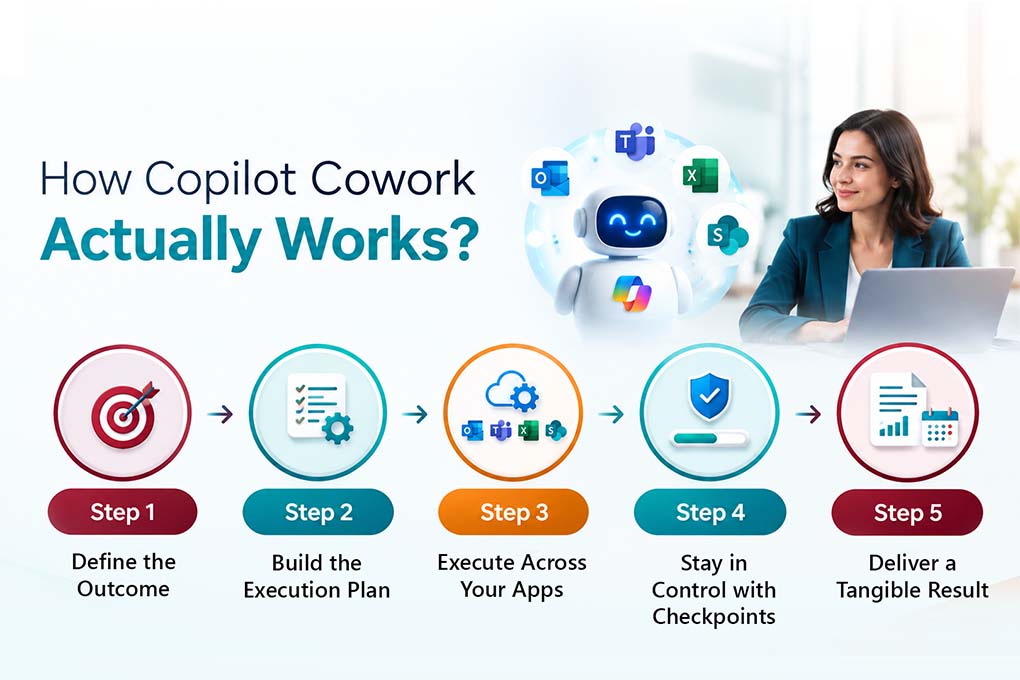
Cowork is built on Work IQ, Microsoft’s intelligence layer that analyses your organisation’s data, tools, communication patterns, and workflows. Unlike general-purpose AI, Work IQ operates within your Microsoft 365 environment.
When you assign a task to Cowork, the following process occurs:
- Step 1: You define the desired outcome as a goal rather than a command. For example: “Prepare me for Friday’s executive review.”
- Step 2: Cowork develops a plan by breaking the goal into logical steps, identifying required applications and data sources, and mapping the execution path.
- Step 3: Cowork executes the plan in the background, drawing from Outlook, Teams, Excel, and SharePoint simultaneously. It gathers data and produces outputs while you focus on other tasks.
- Step 4: Checkpoints ensure you remain in control. At set intervals, Cowork provides progress updates for your review. You may approve, adjust, or halt execution as needed.
- Step 5: You receive a tangible output, like a structured document, briefing, updated calendar, or report. This is an actual deliverable, not merely a suggestion.
What Copilot Cowork can do with your ERP?
Before diving into the details, it is essential to understand the communication chain of Copilot Cowork in Dynamics 365:
Copilot Cowork (M365)
↓
Dynamics 365 ERP MCP Server (exposed by F&O)
↓
Finance & Operations Data Entities / Forms / Custom Actions
The plugin enables Copilot Cowork to access three categories of tools provided by the Dynamics 365 ERP MCP server:
- Data tools: Read, create, update, and delete records within D365 Finance and SCM data entities.
- Form tools: Navigate application pages, set field values, trigger actions, and perform operations as you would manually within the application.
- Action tools: Invoke custom business logic made available by developers through the MCP server.
Additionally, Copilot Cowork offers Work IQ capabilities, including email, calendar, documents, and spreadsheets. The combination of ERP and Work IQ enables seamless cross-functional workflows.
That governance model matters more than the AI itself, honestly, because it’s the reason CFOs and IT leads will approve a rollout. We have written before about how AI and predictive analytics are already reshaping decision-making in FSCM. Cowork is the next layer on top of that shift.
What Microsoft Copilot Cowork Actually Does: Real-World Scenarios
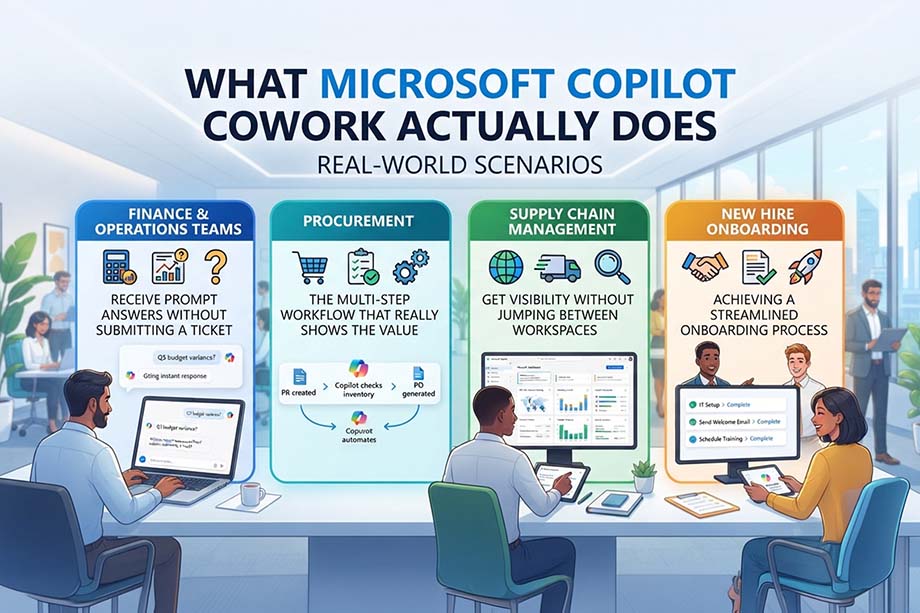
Generic AI advice often falls short. Here’s how Cowork helps in real situations, organized around the way your teams actually work.
Finance & Operations Teams: Receive Prompt Answers Without Submitting a Ticket
“What’s the credit limit for customer US-001 in USMF?”
For Finance and Operations, Cowork checks the entity, gives you the number, and that’s it. You don’t need to click through several screens to find it. The same approach works for drafting a vendor invoice journal entry or pulling up AR balances before a collections call.
Procurement: The Multi-Step Workflow that Really Shows the Value
Microsoft uses this example to show what’s possible, so let’s walk through it:
“Evaluate bids for RFQ 000012. Use the latest vendor emails and PDF attachments to extract bid details, update the RFQ replies in finance and operations, score the bids using the configured criteria, and recommend the supplier to award. After my approval, create the purchase order and draft the bid award email.”
With one prompt, Cowork pulls the RFQ data from F&SCM, reads the vendor bid emails and PDFs from Outlook, checks the numbers, scores them using your criteria, and gives you a ranked recommendation. Once you approve it, Cowork creates the PO and drafts the award email.
That’s five manual tasks, usually spread across two systems and your inbox, now combined into one simple workflow you can review.
Supply Chain Management: Get Visibility Without Jumping Between Workspaces
Cowork for Supply Chain Management can summarise purchase order changes, warehouse KPIs, and planner workloads whenever you ask, so you don’t need to build a filtered view each time. If you’ve been following the platform’s updates, this builds on what we discussed in the latest D365 F&SCM release wave.
New Hire Onboarding: Achieving a Streamlined Onboarding Process
Onboarding new employees can be complicated for everyone involved. Microsoft Cowork helps by showing the right people, documents, and information from day one, so there is no need to coordinate everything by hand.
This is where Dynamics 365 Copilot services become important, especially for organisations working with CRM, ERP, and customer data. When Cowork connects to Dynamics 365, it works with more than productivity tools. It works across your whole business system.
Is Your D365 Environment Ready for Copilot Cowork?
Don’t let outdated versions, poor data or messy security roles hold back your AI ambitions. Get a clear view of what needs fixing before you switch on.
Is Your Organisation Ready for Copilot Cowork?
Before you get excited, check the fine print. Readiness of an organisation isn’t automatic.
1. Version: You’ll need Dynamics 365 Finance and Operations apps, version 10.0.45 or later, and they should be fully updated.
2. Environment type: The MCP server doesn’t work on Cloud Hosted Environments (CHE). It’s only supported in cloud-native environments.
3. Region: Availability is expanding by location, so not every market has access yet.
4. Data and role hygiene: Cowork uses your current security roles exactly as they are. If your role structure is messy now, Cowork will copy that mess, just more quickly.
Most vendors don’t mention that last point. AI won’t fix poor data governance; it just makes existing problems more obvious.
But here is the good news!
Mercurius IT brings the right Dynamics 365 implementation expertise to the table. Our Dynamics 365 experts deliver excellence while adhering to all the governance and security requirements.
Pro Tip- If you’re running an older AX environment or considering a platform switch, that’s worth resolving before Cowork enters the picture whether that’s an AX to D365 F&SCM upgrade or a migration off a legacy system like Sage.
Where Mercurius IT Fits In
Microsoft Copilot Cowork for Dynamics 365 Finance and Supply Chain Management can transform the operations in ample ways that we have already covered in this blog. But here is a real catch, if the implementation is not done aptly the entire benefits of the platform can go completely flat.
Yes, you heard that right!
We’re a Microsoft Solutions Partner that’s been implementing Dynamics 365 Finance & Supply Chain Management and the AI capabilities layered onto it for UK and international businesses for years.
We are not here to sell you Copilot Cowork because it’s new. In fact, we are here to tell you honestly whether your environment, your data, and your role structure are ready for it and to fix what isn’t before you flip the switch.
If you want a straight answer on where you stand, we’ll give you one.
Book a Copilot Cowork readiness assessment with our team.
Don’t Switch on Copilot Cowork Without Knowing What’s Underneath.
Mercurius IT helps you assess, prepare and optimise your Dynamics 365 F&SCM environment before AI automation touches critical business processes.
Frequently Asked Questions
Is Copilot Cowork the same as Copilot for Finance?
No. Copilot for Finance and other in-app Copilot features operate within Dynamics 365. Cowork is a separate cross-app orchestrator in Microsoft 365 that connects to F&SCM through the ERP MCP server.
Does Copilot Cowork access my ERP database directly?
No. It accesses F&SCM only through the governed MCP server, using data, form, and action tools, and always within the requesting user’s existing security permissions.
What Dynamics 365 version do I need?
You need version 10.0.45 or later with all quality updates installed. Cloud Hosted Environments (CHE) are not currently supported.
Can Copilot Cowork create purchase orders on its own?
It can draft a purchase order as part of a workflow, but you will always review the plan before any action is taken. No changes are made to F&SCM without your approval.
Is Copilot Cowork available now?
Copilot Cowork is generally available, with regional rollout ongoing. Please check Microsoft’s current availability report for your region before planning deployment.
Is Copilot Cowork included in the Copilot license?
Copilot Cowork requires a base Microsoft 365 Copilot license for access. Task execution is billed separately according to a usage-based consumption model.
What is the difference between Copilot Cowork and Copilot Chat?
Copilot Chat is a reactive, single-session assistant that answers questions and drafts content. Copilot Cowork is an autonomous system that executes long-running, multi-step workflows across Microsoft 365 apps in the background.