

Quick Summary
A quick guide to choosing field service management software for UK enterprises, covering integration, offline mobile execution, scheduling, inventory, AI, compliance and measurable first-time-fix performance.
Key Takeaways
- Select field service software that integrates scheduling, finance, CRM, inventory, and customer data to eliminate duplicate manual entry.
- Offline mobile access, skills-based scheduling, and real-time inventory visibility directly impact first-time fix rates and reduce repeat visits.
- Assess AI, compliance, reporting, and usability based on measurable operational outcomes, not solely on product demonstrations.
- Inquire about implementation ownership, second-year costs, user adoption, support, and the criteria for measuring success after go-live.
Introduction
Most field service software looks good in demos, but it often lets engineers down when they try to use it in plant rooms with no signal.
The right field service management software should do more than schedule engineers. It should connect field service operations with finance, CRM and inventory, work reliably in real-world conditions, and give managers visibility into the performance of every job.
This guide is here to help with that problem.
Failed visits are the biggest cost in field service. A 2026 research benchmark of 161 service organisations found that these visits make up 25% of total service costs for most companies, and 44% for those at the bottom.
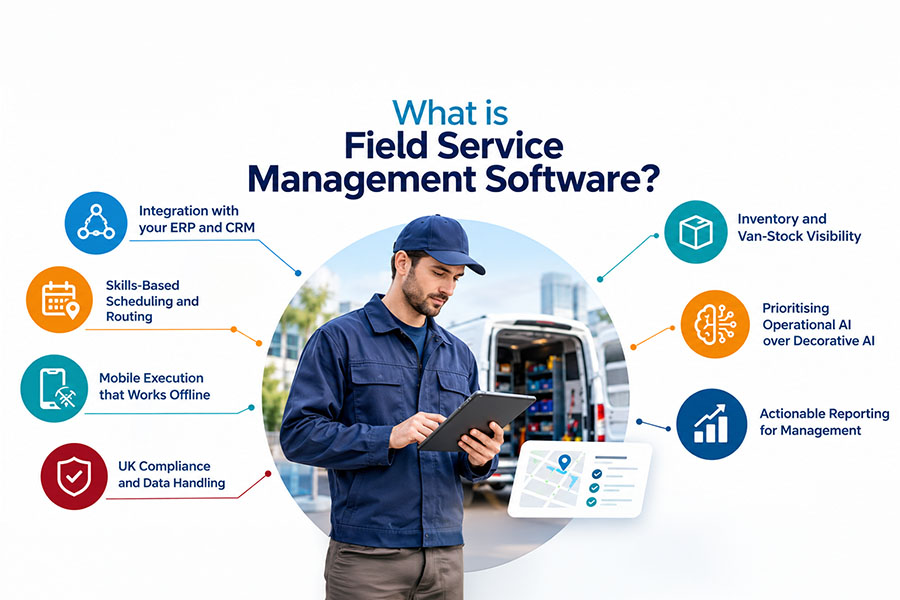
So, what should you look for in field service management software? The answer goes beyond a long feature list. Integration, scheduling, offline mobile execution, compliance, inventory, operational AI and actionable reporting all deserve a place on your shortlist.
Let’s dive in.
What is Field Service Management Software?

Field service management (FSM) software plans, dispatches and tracks on-site work. It covers scheduling, mobile work orders, inventory, SLAs and reporting, linking engineers, back-office teams and customers in one system. For enterprises, the real test is how well it connects to your ERP and CRM.
How much does a Failed Visit Really Cost?
Let’s make it real.
Imagine handling 10,000 jobs each year.
With an industry average first-time fix rate of 77%, 2,300 of those jobs will need a second visit.
If, for illustration, each revisit costs about £150, that adds up to £345,000.
If you raise your first-time fix rate to 88%, like the top performers, revisits drop to 1,200.
1,100 fewer revisits x £150 = £165,000
That means you could save £165,000 every year.
You have the same engineers and customers, just a better system.
Maybe you’re thinking, “My numbers are different.” That’s great; try using your own figures.
Pro-tip: Measure your first-time fix rate over 30 days instead of 7. Shorter time frames can split repeat visits into separate tickets, making your results look better than they are.
Need help finding your real numbers? Our team is here to help.
How much are repeat field visits costing your business?
Use your own job volumes, first-time-fix rate and revisit costs to identify where avoidable service costs may be hiding.
7 Things UK Enterprises Should Look for in Field Service Software
1. Integration with your ERP and CRM
If your dispatch system isn’t connected, you could be losing money without realising it.
If you use one system for scheduling and another for billing, you’ll end up entering the same information twice, invoices will be delayed, and you won’t have a clear overview. Always ask vendors if job data moves straight into your finance system without anyone having to type it in again.
This is where Dynamics 365 integration earns its keep. Field Service connects natively with Business Central, CRM and Project Operations. We explain the cost of the alternative in Stop Disconnected Dispatching.
2. Skills-Based Scheduling and Routing
Just sending whoever is available is not a real strategy.
If you send the wrong engineer, you could end up with the wrong parts, missing certifications and, most importantly, the need for a second visit. This not only disrupts the customer experience but also increases operational costs.
Instead, use scheduling that matches engineers to jobs based on their skills, location, service level agreements (SLAs) and availability, with the flexibility to adjust assignments in real time if jobs take longer than expected.
Route optimisation matters just as much. The right software should also account for travel times, traffic conditions and multiple jobs scheduled across the day, helping reduce unnecessary travel and ensuring engineers can reach customers on time.
For businesses using Microsoft Dynamics 365 Field Service, Resource Scheduling Optimisation (RSO) can take this further by automatically optimising resource assignments and schedules against defined business objectives and constraints. Depending on your configuration, it can help balance travel time, resource availability, skills and appointment requirements, making better use of your field workforce.
3. Mobile Execution that Works Offline
You might be thinking, “Every FSM tool has a mobile app.”
That’s true, but not many are actually designed for real execution in the field.
Your engineers need to open a work order, complete an inspection, capture job data and book parts, even with no signal. That’s why we built MaxField. It’s a Power Apps layer on Dynamics 365 Field Service. Engineers get one interface for work orders, tasks, inspections, job data and inventory on phone or tablet.
4. UK Compliance and Data Handling
GDPR and other regulatory requirements make compliance a must in the UK. Make sure the FSM you choose has audit trails, certification tracking and evidence capture right where the work happens.
If the engineers work with regulated assets, find out how the system shows that a job was completed properly.
5. Inventory and Van-Stock Visibility
If you don’t have the right parts, you can’t fix the problem. In your field service software, look for live-stock updates by van, warehouse, and supplier, plus automatic parts allocation to jobs.
This feature often improves first-time fix rates more than any dashboard.
6. Prioritising Operational AI over Decorative AI
Aquant’s 2026 Field Service Benchmark describes 2026 as a transition from assistive AI towards more operational applications. That means businesses should look beyond generic chatbots and evaluate whether AI can improve the work itself.
In Microsoft Dynamics 365 Field Service, AI capabilities range from assisting engineers with everyday tasks to optimising workforce operations. Key examples include:
- Scheduling Operations Agent: Optimises technician schedules to help dispatchers respond to cancellations, delays and changing priorities. This feature is currently in preview.
- Custom AI agents: Built using Microsoft Copilot Studio, these can be tailored to specific service workflows and business requirements.
- Copilot for work orders: Generates summaries of job status, priorities and recommended next actions, helping teams understand the work at a glance.
- Copilot for inspections: Converts uploaded PDFs or images into draft inspection templates, reducing manual preparation.
It is essential to evaluate the specific functions of AI solutions, focus on capabilities that address real operational challenges, such as scheduling inefficiencies, manual administration and repeat visits, rather than choosing a platform simply because it includes a chatbot.
Get more information about AI automation use cases here.
7. Actionable Reporting for Management
Effective platforms should offer real-time dashboards, service level agreement tracking, engineer utilisation metrics and customer-facing job status updates.
If core operational reporting still depends on frequent manual Excel exports, the platform may not be providing the real-time visibility your service teams need. With Dynamics 365, Power BI dashboards can be embedded into the application, helping managers monitor service performance, identify bottlenecks and make data-led decisions without constantly switching between systems.
Which Approach Fits Your Situation?
| Your situation | What happens |
|---|---|
| Already on Dynamics 365 or Business Central | Extend with Dynamics 365 Field Service and MaxField. The data is already in one place. |
| Complex, bespoke workflows | Choose a platform with a low-code layer such as Power Apps, so you adapt without piling up custom-code debt. |
| Smaller team, compliance-led, light on ERP | A UK-built specialist tool may fit. Test it on contracts and multi-site assets. |
Still Confused? Talk to the D365 experts directly!
Mercurius IT delivers Dynamics 365 Field Service implementations and MaxField. Dynamics 365 Field Service scales from small teams to large workforces.
Mayglothling Waste switched from manual work to a connected system. We brought their Sales, Operations, and Accounts together using Dynamics 365 Sales and Field Service and built a custom Power App for their engineers and jobs. Read the complete case study here.
Not sure which field service capabilities your business actually needs?
Get a practical assessment of your scheduling, mobile execution, integration and inventory requirements before comparing vendors.
Before You Sign: 5 Questions Every Business Leader Should Ask
Getting the software is simple. Making sure your engineers adopt it and use it effectively is the real challenge. Before committing, ask every vendor these five questions:
- What does year two cost? Consider licences, add-ons, integrations and support.
- Can you show how it works on our toughest project? Don’t rely on a polished demo.
- What happens if we lose internet access? Ask them to put the device in airplane mode, complete a job and show how the data syncs once connectivity is restored.
- Who is responsible for delivery? Is it the software vendor, a partner, or both?
- How will you train and support our engineers through go-live? Ask about hands-on training, ongoing support and how adoption will be measured.
Pro tip: Narrow your choices, test them with your actual engineers, and evaluate the partner just as carefully as the product. The right Dynamics 365 implementation partner can be the difference between a tool your engineers use and one they avoid.
Final thoughts
Choosing field service software isn’t about the longest feature list. It’s about fewer failed visits, cleaner data and engineers who genuinely want to use the tool.
When integration, offline functionality, and user adoption are effective, other benefits follow. If these areas are neglected, costly revisits can persist for years.
That’s where Mercurius IT comes in. As a UK Microsoft Dynamics 365 Solutions partner, we have spent years connecting field operations to finance, CRM and supply chain, and MaxField now brings that same thinking to the engineer’s phone.
So, if you’d like a fresh pair of eyes on your field operation, we’d be glad to help. Talk to Dynamics 365 experts for an open discussion about what is working, what isn’t, and potential improvements.
Find out where your field operation is leaking money
Book a 30-minute review to baseline first-time fix, identify integration gaps and assess how Dynamics 365 Field Service could work with your existing processes.
Frequently Asked Questions
What features should I look for in field service management software?
Choose field service management software that includes smart scheduling and dispatching, mobile access, inventory visibility, compliance controls, customer communication, work order tracking, operational AI and real-time reporting. The right combination depends on your field-service processes and operational priorities.
What is a good first-time fix rate?
The industry average first-time fix rate is 77%. Leading companies reach 88%, while the lowest performers are around 60%. Track your rate over 30 days to get an accurate picture.
Is Dynamics 365 Field Service suitable for enterprises?
Yes. Dynamics 365 Field Service works for both small teams and large, nationwide organisations. It connects directly with Dynamics ERP and CRM, and you can use Power Apps to customise it for your business.
Can field service software integrate with Business Central or SAP?
Yes. Microsoft Dynamics 365 Field Service offers a ready-made integration with Business Central, enabling service and financial data to flow between the two systems with the appropriate setup. Integrating with SAP typically requires a tailored approach using APIs or integration tools such as Azure Logic Apps or middleware, depending on your systems and business requirements.
How long does FSM implementation take?
The FSM implementation timeline depends on your project’s size, the integrations you need, and how many engineers are involved. A scoping workshop will help you get a clear plan before starting.
Why choose a specialist partner?
Software alone won’t solve field operations challenges. Success comes from good process design, smooth integration, and strong user adoption that a specialist partner like Mercurius IT can bring.