
Microsoft Dynamics NAV
A market-leading, growth-enabling Enterprise Resource Planning (ERP) solution for SMBs.
Right from the start, simplicity has guided and continues to guide innovations in product design, development, implementation, and usability. With a client portfolio spanning Manufacturing, Wholesale & Distribution, Retail & eCommerce and Service, we are ideally placed to understand the unique challenges you face and work closely with you to help overcome your business challenges efficiently and cost-effectively.
Microsoft Dynamics NAV Capabilities
- Financial Management and Accounting – Manage your cash, assets, and banking.
- Supply Chain, Manufacturing and Operations – Track and manage your production, inventory, orders, and vendors.
- Marketing, Sales and Service – Manage your campaigns, sales opportunities, contacts, and service contracts.
- Project Management – Create estimates, track projects, and manage capacity.
- Business Intelligence and Reporting – Get real-time visibility and analytics to track performance and to act with insight.
- Multi-currency – Compete globally with multi-currency and language capabilities.
- Document capture and storage – Drag and drop emails and files or capture paper documents with locally attached scanners.
- Personalised batch delivery – Schedule batches of documents to be sent later and automatically attach supporting documents.
Microsoft Dynamics NAV Advantages
- Get up and running quickly – Feel confident from the start with a familiar, role-relevant user experience
- Do business anywhere – Stay connected and productive on the go
- Help reduce risk – Rely on a flexible and trusted Microsoft platform that spans your entire IT ecosystem
- Grow efficiently – Help reduce your IT costs, and easily scale up or down with the Microsoft Cloud
Dynamics NAV uniquely brings together business applications, data, documents and devices. An ERP business solution for SMB puts your people at the centre, helping them make the most of their time. From server to cloud, desktop to mobile, get one familiar user experience to automate your business, help increase sales, enhance collaboration and amaze your customers.
Microsoft Dynamics NAV overview
See how Samita uses Microsoft Dynamics NAV to manage profitable and efficient business growth.
Dynamics 365 Business Central
Microsoft Dynamics NAV has now been updated, improved and renamed to Microsoft Dynamics 365 Business Central.
Take a guided tour
NAV 2018 Capability Guide
NAV 2018 Licensing Guide
Get in touch about Dynamics NAV
Looking to upgrade?
MaxCare Support
“Pay As You Go Support” at very competitive rate
Client Testimonials
“Mercurius came in, had a look at all the requirements of the business, had a good understanding of not just what we wanted today but what our strategy was for the group going forward, and came up with several proposals looking at what was the best fit in terms of a system that could grow with the business as the business grew, and ultimately gave us advice and recommendations for the one that was the best fit for us. We can implement the solution across many different sites over the coming years. ”
“…very comprehensive and informative.”
Recent Articles

Top 5 Expense Management Solutions for Microsoft Dynamics NAV
Calculating and processing employee expenses is a time-consuming admin task that most businesses have to deal with on a regular basis. Expense management solutions are designed to remove much of the administrative overhead from this process, creating a seamless...

How to use PayPal with Microsoft Dynamics NAV
Customer expectations are continuously rising, both in terms of the quality of your products and services and the way you deliver them. To ensure your business stands out in a competitive environment, maintaining a high standard of customer service is critical. One...
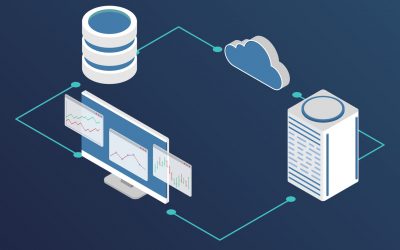
What Deployment Options are Available for Microsoft Dynamics?
Deciding where to deploy an ERP solution like Microsoft Dynamics 365 Business Central can be difficult. Business Central was originally released in April 2018 as a SaaS only solution, however in October 2018, Business Central became the official successor to NAV as...

How to send a purchase order from Microsoft Dynamics NAV
Key Takeaways Sending purchase orders in Microsoft Dynamics NAV allows businesses to quickly communicate procurement details with vendors directly from the ERP system. Users can create and manage purchase orders within the Purchase Orders screen by entering vendor...

How to integrate Dynamics NAV with other Microsoft applications
Microsoft Dynamics NAV is a powerful, market-leading ERP system, bringing together data and documents from across multiple departments. Although Microsoft Dynamics NAV itself holds so much functionality, there are many ways to extend the solution, including through...

Top 5 expense management challenges and how to bust them
This post is a guest post by our partner Equisys. Business expenses for travel and entertainment (T&E) are a necessary and potentially very costly component of most business operations. Expense management presents major challenges for businesses, particularly SMBs...
Get a Free Quote for Dynamics NAV
Frequently Asked Questions
How long can businesses continue using older NAV versions?
NAV systems can continue running indefinitely on-premises, but after Microsoft lifecycle ends, businesses receive no updates, security patches, or regulatory improvements.
What risks arise from staying on outdated NAV versions?
Outdated versions may experience compatibility issues, rising maintenance costs, limited integrations, and increased cybersecurity vulnerabilities.
Is it possible to run NAV in the cloud without upgrading?
NAV can be hosted in a private cloud environment, but it will not gain Business Central’s modern capabilities, updates, or AI features.
How does the upgrade from NAV to Business Central handle custom code?
Customisations are analysed, converted to extensions, or re-built to ensure future upgrade compatibility and performance.
Can NAV users transition gradually to Business Central?
Yes. Many organisations start with a technical upgrade, then roll out new modules or cloud migration in phases.
What data can be migrated from NAV to Business Central?
Customers typically migrate master data, open transactions, historical entries, and custom tables depending on migration scope.
How does Business Central improve reporting compared to NAV?
Business Central offers embedded Power BI, advanced analytics, AI-driven insights, and better integration with Excel.
What licensing changes occur when moving from NAV to Business Central?
NAV perpetual licences convert into Business Central subscription licences, offering monthly or annual cloud pricing.
Why do companies choose to upgrade NAV now?
Drivers include digital transformation, cloud readiness, modern security requirements, and Microsoft discontinuing enhancements to NAV.
How does Mercurius IT ensure a smooth NAV upgrade?
By performing a code audit, data assessment, upgrade plan, sandbox testing, and user training to ensure a seamless transition.