
Quick Summary
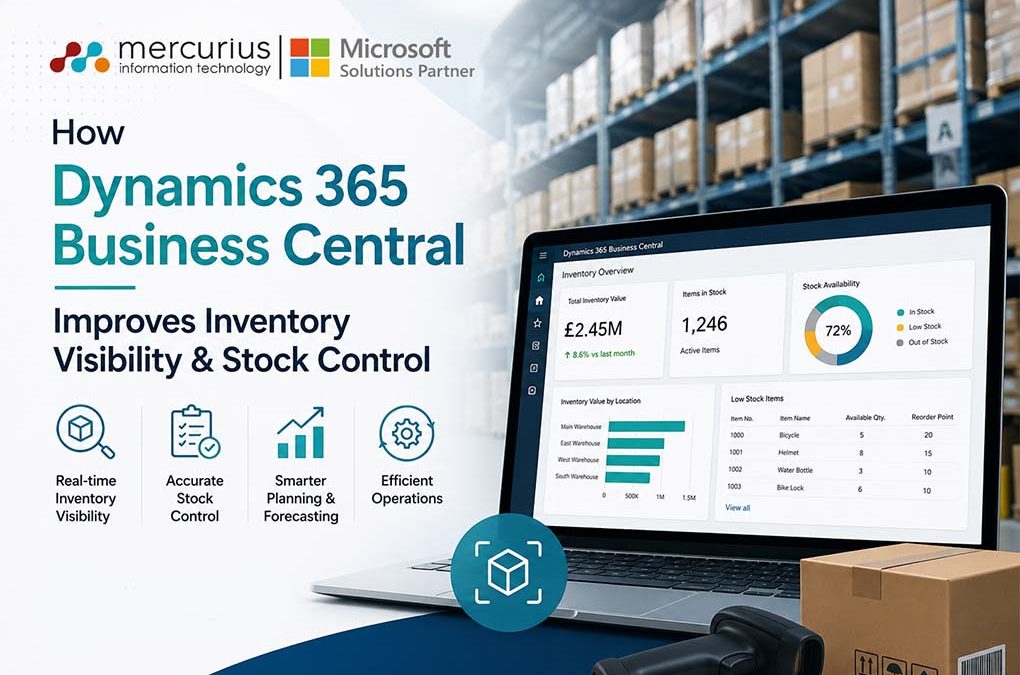
Dynamics 365 Business Central improves inventory visibility through real-time tracking, automated replenishment, AI-driven insights, and centralised inventory management, helping businesses reduce costs, optimise stock levels, and improve operational performance.
Key Takeaways
- Inaccurate inventory data can lead to stockouts, excess inventory, and lost revenue.
- Business Central delivers real-time visibility across warehouses and inventory locations.
- Automated replenishment and forecasting help optimise inventory investment.
- Better inventory control improves working capital and fulfilment performance.
- An integrated ERP approach creates a foundation for long-term operational growth.
Inventory visibility has become a critical business priority as organisations manage stock across multiple warehouses, sales channels, and increasingly complex supply chains. Yet many businesses still struggle with inaccurate inventory data, making it difficult to maintain the right stock levels and respond quickly to customer demand.
According to a 2024 inventory management study, only two-thirds of distributors reported inventory data accuracy levels of 95–100%, highlighting the ongoing challenge of maintaining reliable inventory visibility across operations. When stock information cannot be trusted, businesses risk stockouts, excess inventory, delayed order fulfilment, and unnecessary pressure on working capital.
Microsoft Dynamics 365 Business Central addresses these challenges by providing a centralised and real-time view of inventory across the organisation. With greater visibility into stock availability, movements, and replenishment needs, businesses can make faster, more informed decisions while improving inventory control.
In this blog, we explore how Dynamics 365 Business Central improves inventory visibility, strengthens stock control, and helps organisations reduce inventory-related costs while supporting better operational performance.
The Cost of Poor Inventory Visibility

Inventory visibility issues rarely stem from a single problem. They often arise when businesses rely on inaccurate stock records, manage inventory across multiple locations, depend on manual tracking processes, or lack real-time updates and reliable forecasting capabilities. As operations grow, these gaps make it increasingly difficult to maintain an accurate inventory view.
The impact of limited inventory visibility extends beyond warehouse operations. It can cause stockouts that result in missed sales, while excess inventory ties up capital and raises carrying costs. Teams spend more time resolving discrepancies, customer orders are delayed, and leaders must make decisions with incomplete or outdated information.
The challenge is more common than many organisations realise. A Harvard Business School study examining nearly 370,000 inventory records found that 65% of them contained inaccuracies. Even small discrepancies can disrupt inventory purchasing, fulfilment, and customer commitments.
Without accurate, real-time inventory visibility, businesses risk making costly decisions that impact profitability, customer satisfaction, and long-term growth.
Gain Complete Visibility Across Your Inventory Operations
See how Dynamics 365 Business Central can help you reduce stock discrepancies, optimise inventory levels, and improve business performance.
How Dynamics 365 Business Central Enhances Inventory Visibility
Effective inventory management requires accurate, up-to-date information accessible throughout the organisation. Dynamics 365 Business Central delivers real-time visibility into inventory levels, movements, and availability, enabling informed decisions and quick responses to changing demand.
Real-Time Inventory Tracking
Business Central offers live inventory updates across all warehouses and locations, ensuring teams have current stock information. This immediate visibility reduces stock discrepancies and improves order fulfilment accuracy. By replacing manual tracking and reporting, businesses reduce administrative effort and make faster, data-driven decisions.
Combined with Copilot capabilities, inventory data can also be analysed more quickly, helping users identify trends, exceptions, and inventory issues without manually reviewing multiple reports.
Centralised Inventory Data
Inventory data is stored in a single system, providing a central source of truth. Businesses can view inventory levels across all locations from one platform, eliminating data silos and improving collaboration among procurement, warehouse, sales, and finance teams.
Multi-Location Inventory Management
For organisations with multiple sites, D365 Business Central consolidates inventory data across all locations. Teams can track stock movements, transfer inventory between facilities, and allocate stock based on demand. This ensures inventory is available where needed and reduces excess stock in low-demand areas.
Inventory Traceability
Business Central supports lot and serial number tracking, allowing businesses to trace products throughout their lifecycle. This enhances inventory visibility, supports regulatory compliance, and streamlines quality control. In case of a product issue or recall, affected inventory can be quickly identified and managed.
How Business Central Strengthens Stock Control
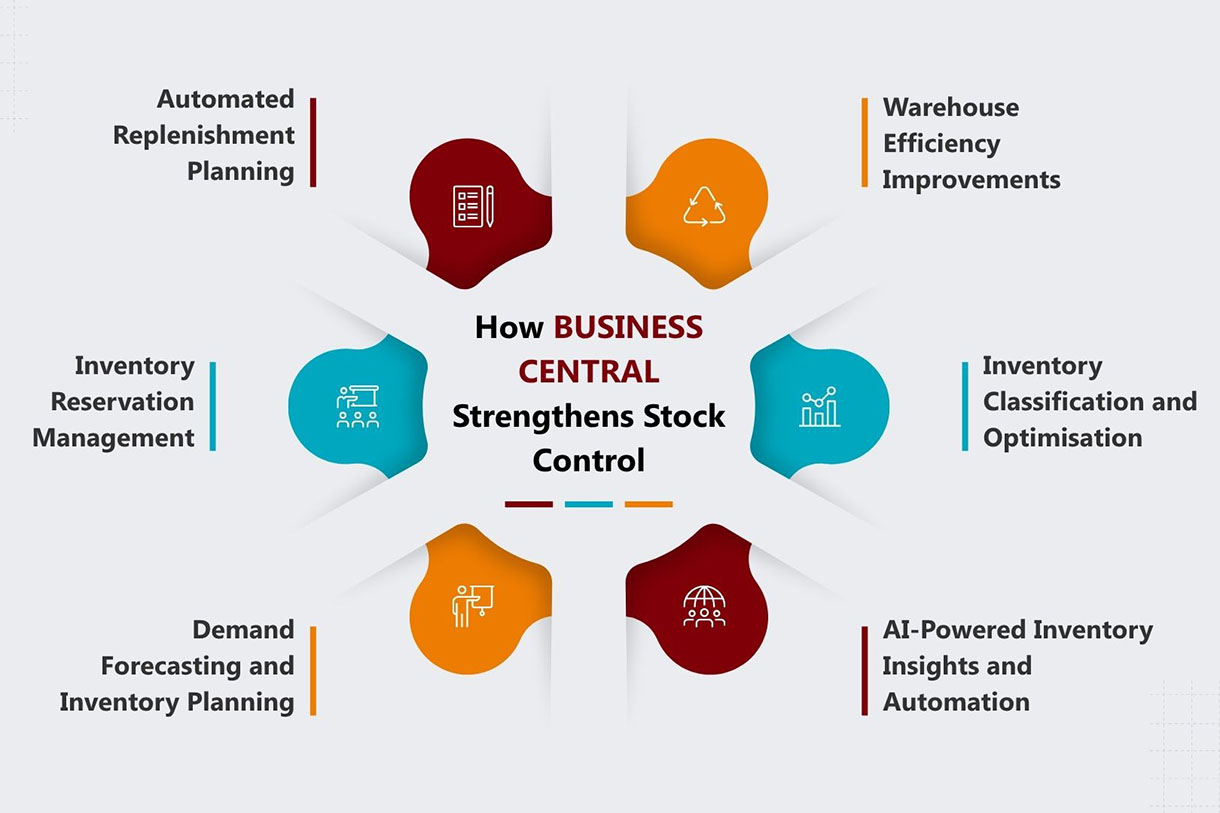
Beyond improving visibility, Dynamics 365 Business Central helps businesses maintain optimal inventory levels through automated planning, forecasting, and inventory optimisation capabilities.
1. Automated Replenishment Planning
Business Central automates inventory replenishment using predefined reorder points and policies. The system monitors stock levels, tracks safety stock, and generates purchasing recommendations when inventory drops below target s. This prevents shortages and avoids unnecessary overstocking.
2. Inventory Reservation Management
Business Central allows businesses to reserve inventory against sales orders, production orders, or specific customer requirements. By allocating available stock to confirmed demand, organisations can reduce the risk of overselling, improve order fulfilment reliability, and gain greater control over inventory availability.
3. Demand Forecasting and Inventory Planning
By analysing historical sales data, inventory trends, and AI-generated forecasting insights, businesses can improve forecasting accuracy and plan inventory more effectively. This helps align purchasing decisions with actual demand while reducing stock imbalances and inventory-related risks.
4. AI-Powered Inventory Insights and Automation
Business Central integrates inventory data with Microsoft Copilot and AI-driven tools to help businesses identify trends, analyse inventory performance, and improve planning. AI-assisted forecasting in Business Central supports demand planning by evaluating historical sales patterns. Intelligent insights alert teams to potential stock shortages or excess inventory before they affect operations. This allows business leaders to make proactive inventory decisions and rely less on manual analysis.
5. Inventory Classification and Optimisation
Business Central supports inventory classification methods such as ABC analysis, helping businesses identify high-value and high-priority items. This Dynamics 365 Business Central inventory management ensures inventory investments focus on areas of greatest value and keeps critical stock readily available.
6. Warehouse Efficiency Improvements
Accurate inventory data streamlines warehouse operations by enabling faster counts, reducing picking errors, and improving fulfilment accuracy. This allows warehouse teams to operate more efficiently, increase productivity, and maintain better control over inventory movements.
Key Business Benefits of Improved Inventory Visibility
Improved inventory visibility delivers benefits that extend beyond inventory management. By providing accurate, real-time insight into stock levels and movements, businesses can make better financial, operational, and customer-focused decisions while reducing unnecessary costs.
Better Cash Flow Management
Greater inventory visibility helps businesses maintain optimal stock levels and reduce excess inventory. By investing in the right inventory at the right time, businesses can improve working capital, free cash for strategic initiatives, and lower carrying costs.
Higher Customer Satisfaction
Accurate inventory information allows businesses to fulfil orders with greater confidence and consistency. Improved order accuracy and faster fulfilment help meet customer expectations, strengthen customer relationships, and reduce lost business from stock issues.
Increased Operational Efficiency
Reliable and accessible inventory data reduces time spent on manual checks and administrative tasks. Employees can focus on higher-value activities and make faster, more informed inventory decisions.
More Accurate Business Reporting
Real-time inventory visibility gives business leaders a clearer view of inventory performance, costs, and trends. Accurate data supports better forecasting, planning, and strategic decisions, enabling proactive responses to market changes.
Explore What's Possible with Dynamics 365 Business Central
Get expert guidance on improving inventory visibility, stock control, and forecasting with a tailored Business Central solution.
Best Practices for Implementing Business Central Inventory Management
Implementing Dynamics 365 Business Central is only the first step. To maximise inventory visibility and maintain effective stock control, businesses should adopt several key best practices.
Establish Inventory Governance Processes
Define clear inventory management policies, responsibilities, and approval workflows. Having consistent processes in place helps maintain inventory accuracy and reduces the risk of discrepancies across locations.
Clean and Standardise Inventory Data
Before implementation, review and clean existing inventory records. Standardised item descriptions, units of measure, and inventory data help ensure accurate reporting and reliable inventory tracking from day one.
Define Replenishment Policies
Set appropriate reorder points, safety stock levels, and replenishment rules based on business demand. Well-defined policies help prevent stock shortages while avoiding unnecessary inventory costs.
Train Users on Inventory Workflows
Even the best system depends on proper user adoption. Providing practical training ensures employees follow standard inventory processes and use the system consistently, leading to more accurate inventory data.
Use Reporting and Dashboards for Ongoing Optimisation
Inventory requirements change over time. Regularly reviewing inventory reports and dashboards helps identify trends, monitor stock performance, and proactively adjust inventory strategies as business needs evolve.
Conclusion
Effective inventory visibility now directly impacts profitability, customer satisfaction, and business performance. Without accurate, real-time data, businesses risk excess stock, lost sales, and decisions based on incomplete information.
Microsoft Dynamics 365 Business Central addresses these challenges by offering a unified inventory view across locations, real-time stock tracking, automated replenishment, and informed planning. This leads to stronger stock control, greater efficiency, and increased confidence in inventory decisions.
For organisations seeking a scalable, sustainable inventory management strategy, an integrated ERP approach is essential. As a trusted Microsoft Solutions Partner, Mercurius IT helps businesses implement and optimise Dynamics 365 Business Central to enhance inventory visibility, improve stock control, and support long-term growth.
Frequently Asked Questions
Can Business Central track inventory across multiple warehouses?
Yes, Dynamics 365 Business Central can track inventory across multiple warehouses, stores, and distribution centres from a single platform. It provides real-time visibility into stock levels, inventory movements, transfers, and availability across locations. This helps businesses optimise stock allocation, reduce inventory imbalances, and ensure products are available where demand is highest.
How does real-time inventory visibility improve business performance?
Real-time inventory visibility helps businesses make faster, more informed decisions by providing accurate, up-to-date data. It reduces stockouts and overstocking, improves order fulfilment accuracy, supports better demand planning, and enhances customer satisfaction. Access to reliable inventory information also enables organisations to improve operational efficiency and optimise working capital.
What industries benefit most from Business Central inventory management?
Dynamics 365 Business Central inventory management is particularly beneficial for manufacturing, wholesale distribution, retail, e-commerce, and supply chain-driven businesses. Any organisation that manages inventory across multiple products, locations, or sales channels can benefit from improved inventory visibility, stock control, demand forecasting, and inventory planning capabilities.
How long does it take to implement inventory management in Business Central?
The implementation timeline for Business Central inventory management depends on factors such as business size, inventory complexity, number of locations, data migration requirements, and customisation needs. For many small to mid-sized organisations, implementation can take anywhere from a few weeks to a few months. Working with an experienced Microsoft Dynamics 365 Business Central implementation partner can help accelerate deployment and ensure a smoother transition.