
Quick Summary
Business Central 2026 Wave 2 brings AI agents, e-invoicing and reporting improvements, while SOAP changes make integration readiness essential before the October rollout.
Key Takeaways
- Wave 2 enhances Copilot, AI agents, finance automation and reporting for Business Central users.
- Peppol-based e-invoicing and EDI updates support UK businesses preparing for the 2029 mandate.
- Business Central Wave 2 ends support for Microsoft UI page SOAP web services, requiring integration checks.
- Sandbox testing, ISV compatibility checks and integration audits help teams prepare for updates.
- AI automation, stronger controls and fewer add-ons can simplify finance and operational processes.
Introduction
While Wave 1 2026 focused on providing visible and controllable AI agents, Wave 2 is expected to enhance the capabilities of these agents and the associated finance and payable processes. It also brings a unified Copilot chat experience consistent with Microsoft Copilot. Dynamics 365 Business Central is scheduled for second release wave of the year in October 2026, which will continue through March 2027.
Microsoft typically releases its detailed, feature-by-feature Wave 2 plan in mid-to-late July, several months prior to general availability, with early access beginning approximately one month before launch. As a result, the detailed information becomes available as small and medium-sized enterprise (SME) finance and operations teams commence autumn planning, providing an opportunity to prepare proactively rather than respond in October.
This blog outlines confirmed features, anticipated developments, and their potential implications for organisations.
What is Business Central 2026 Release Wave 2?
Business Central 2026 release wave 2 is the second of Microsoft’s two major annual updates. It adds new AI agents, e-invoicing, stronger reporting and supply chain features. SaaS customers receive it automatically, and admins can schedule the update window in the admin centre.
Business Central Wave 2: See What’s Changing Before October
AI agents, e-invoicing, reporting and integration changes are coming with Business Central 2026 Wave 2.
Join our upcoming webinar for a practical walkthrough of the key updates, what they mean for your business and what you should prepare before the October rollout.
When does Business Central New Release Arrive?
| When | What happens |
|---|---|
| First week of September 2026 | Public preview opens (sandbox environments only) |
| First week of October 2026 | General availability |
| October 2026 onwards | Features roll out gradually through the wave |
| About 30 days after GA | Preview sandboxes are deleted |
| New Customers | Gets Business Central version 29.0 automatically |
| Existing Customers | Notified when update 29.0 is available. Admins can schedule update 29.0 to any date within the 5-month update period, which ends on February 28, 2027 |
One thing has changed this cycle. Microsoft has stopped publishing separate release plans. New capabilities now appear on its AI at Work roadmap instead. So, the preview sandbox and Microsoft’s “what’s new” article are now your most reliable sources.
Why this Release Matters for UK SMB Decision Makers?
You might be thinking, “It’s a twice-yearly update. Why should I care?”
Fair question. Here’s why this one is different.
- AI is transitioning from demonstration to daily operations. Automated agents now manage tasks in accounts payable, expenses, and sales orders, while human approval remains in place.
- Integration timelines are tightening as Microsoft retires legacy connection methods. Upgrading to new version is the next required step.
- The UK government will require mandatory e-invoicing for VAT invoices starting in April 2029. HMRC has designated Peppol as the core network, effective 23 June 2026. However, HMRC-commissioned research shows that only 19% of VAT-registered SMEs consider themselves “very familiar” with e-invoicing. Please note that sending a PDF by email does not qualify as e-invoicing.
Cool, right? Let’s get into it.
What’s New in Business Central Wave 2?
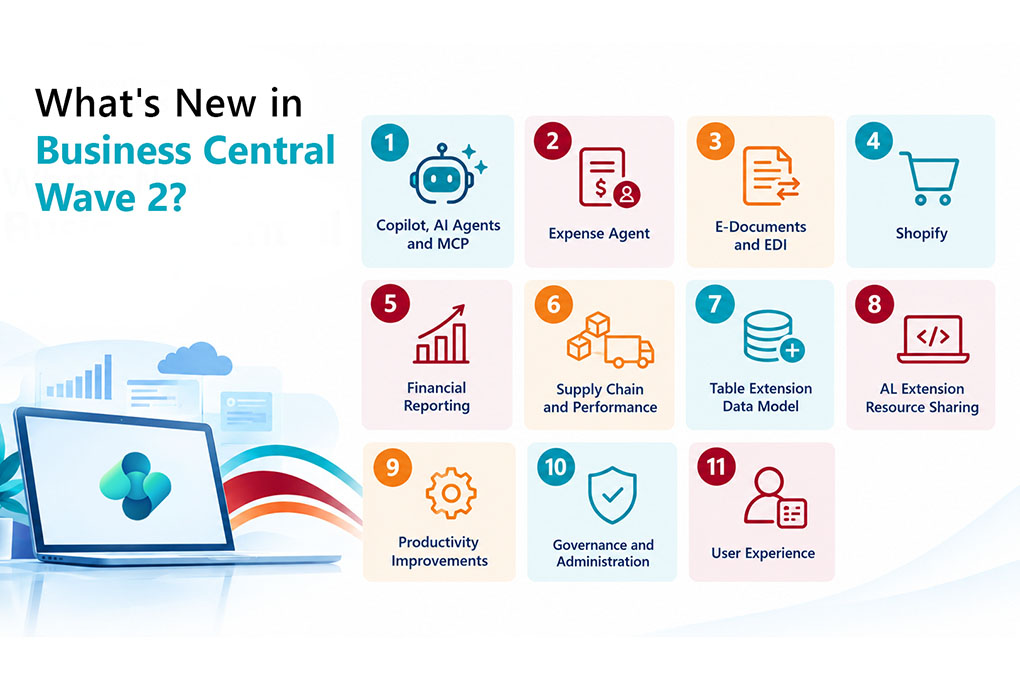
Business Central new wave delivers advanced AI-powered Copilot features, significant database updates for table extensions, and user experience improvements as part of the 2026 Release Wave 2. Microsoft’s preview highlights many updates; the following are most relevant for SMB leaders.
- Copilot, AI Agents and MCP
- A unified Copilot chat that reasons over your business data, web results and general knowledge.
- The Payables Agent improves purchase order matching by using line amounts and expected receipt dates.
- Advanced AI and Copilot Agents expand automation with predictive analytics, recommendations, and autonomous AI agents to support business processes.
- New MCP tools let you define, validate and run custom data queries.
Relevant for accounts payable teams and those developing AI workflows in Business Central.
| Want a feel for the basics first? Start with Copilot in Business Central today |
- Expense Agent
Expense reports now get AI-based policy checks that flag suspicious or non-compliant items. You also get better duplicate detection, even against posted documents, interim approvers, travel requisitions and automatic withholding tax calculation. It is relevant for finance controllers seeking to streamline receipt management.
- E-Documents and EDI
D365 Business Central can now exchange EDI documents through E-Documents using the Peppol BIS 3 standard. That’s the same network the UK’s 2029 mandate is built around. Relevant for organisations selling to the public sector or large retailers or planning to do so.
- Shopify
- B2B companies, catalogues and pricing.
- Order changes, exchanges and refunds.
- A Tax Matching Agent that suggests tax jurisdictions and shows its confidence level before you process a sale.
Relevant for distributors and retailers selling online. Some features depend on your Shopify plan.
- Financial Reporting
You can bundle multiple financial reports into one PDF and schedule delivery. Composable layouts let you brand document reports with themes. Changes to financial report definitions are now always logged.
Relevant for finance directors seeking organised reporting and improved audit trails.
- Supply Chain and Performance
Subcontracting now includes guided setup and warehouse support. Quality inspections require less manual input, and a new data model for table extensions accelerates data loading.
Relevant for manufacturers, particularly those working with subcontractors. For examples, refer to our support for manufacturers through the Naveksa partnership.
- Table Extension Data Model
Fields from table extensions are now stored in the base table rather than in companion tables, which enhances indexing and database performance.
- AL Extension Resource Sharing
Apps can now share embedded resources, such as JSON files, images, and templates, across a tenant without duplicating copies.
- Productivity Improvements
Recently used records in lookups reduce clicks and make frequently accessed information easier to find.
- Governance and Administration
A few quieter changes could make Business Central easier to manage behind the scenes. Administrators can now turn SIFT indexes on or off, giving teams more control over how these indexes are managed within their environment.
- User Experience
There are also a few smaller changes that should make everyday work a little smoother:
- Review agent actions from lists with notifications that prompt users when an agent action needs attention.
- Preview images directly in the web client, without having to open them separately.
- Find recent searches faster with recently searched items now available in Tell Me.
Is Your Business Central Environment Ready for Wave 2?
The October update brings more than new features. AI agents are becoming more capable, e-invoicing is moving further into the platform, and Microsoft is removing support for SOAP-based Microsoft UI page integrations.
In our upcoming webinar, our Business Central expert breaks down what’s changing in Wave 2, what it means for your business and what you should review before the update reaches your environment.
Here’s what we’ll cover
See how the latest Copilot and AI agent capabilities can support finance and operational processes. |
Understand the move towards Peppol-based electronic document exchange and what it means for your future readiness. |
Understand the SOAP change, identify potentially affected integrations and see where API-based alternatives come in. |
Get a practical view of the updates that could influence everyday business processes. |
Know what to review, test and discuss with your Business Central partner before the October rollout. |
Get the practical Wave 2 briefing before the update reaches your environment.
Key Business Benefits of Business Central 2026 Wave 2 for SMBs
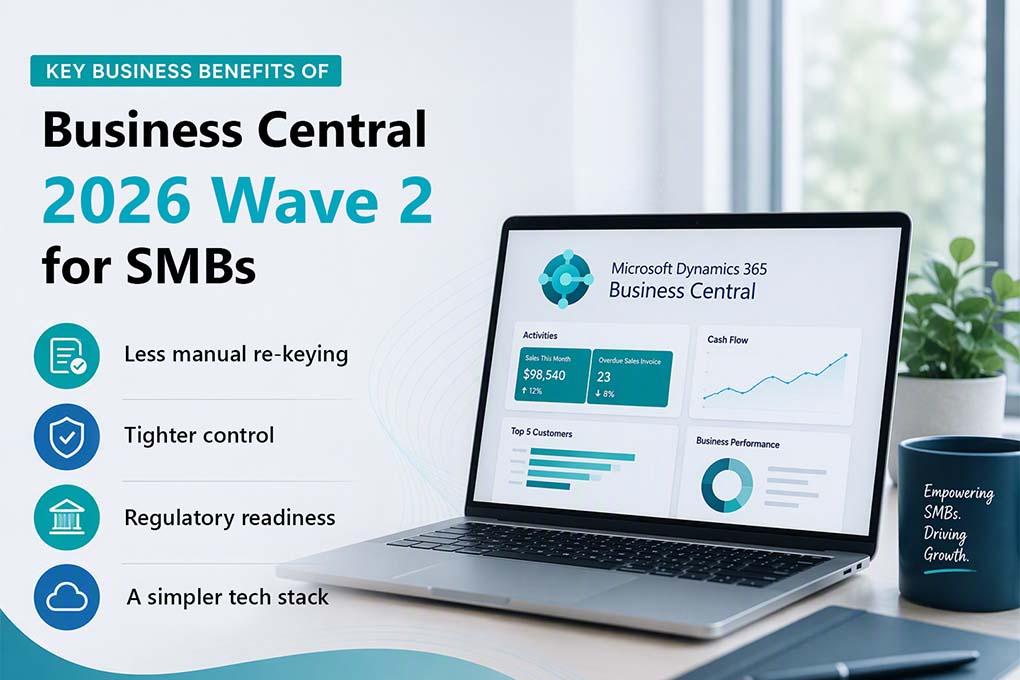
Strip away the feature names and you get four practical wins:
- Less manual re-keying- Agents handle matching, checking and drafting. Your team reviews and approves.
- Tighter control- Approval steps, duplicate prevention and change logs give auditors what they need.
- Regulatory readiness- Peppol-based EDI puts you ahead of the 2029 UK deadline, not scrambling behind it.
- A simpler tech stack- More is built in, so you lean on fewer add-ons.
Critical Change: Discontinuation of SOAP Support
Not every update is a feature; some are deadlines.
In Microsoft’s Business Central Wave 2, the company stops supporting the publication of Microsoft UI pages as SOAP web services. Since version 26 this support has been blocked by default, there being a feature key which allowed it to be re-enabled; this key, however, is deleted now.
Here’s what is essential to note – If your bank portal, EDI hub, warehouse scanner or homegrown reporting tool talks to Business Central through one of those endpoints, it stops working after the update.
- What isn’t affected: Custom pages and code units you’ve built yourself. Only Microsoft’s own UI pages are in scope.
- What to switch to: Microsoft recommends API pages or queries.
|
Pro-Tip! You can detect SOAP calls before they fail. The telemetry data from Microsoft regarding incoming web service requests shows which endpoints are still being called. At Mercurius IT, we create a map of every Dynamics 365 integration and test it in a sandbox prior to your update window, not after. |
Which Situation are you in?
Your next step depends on your setup. Find yourself below.
- If you’re on standard SaaS with few extensions: schedule your update window in the admin centre, then review the new features.
- If you have heavy customisations or third-party apps: update a sandbox review and test your extensions there. Check that your ISV partners have compatible versions.
- If you have integrations with banks, EDI, scanners or Power BI: audit for SOAP before October. This is your priority.
- If you’re still on NAV or an old on-premises version: none of this reaches you. The gap grows with every wave. Our fixed-price NAV to Business Central upgrade starts with a free two-day assessment. We analyse your objects, report on your customisations and give you a fixed price at the end.
Your Pre-October Checklist
BEFORE BUSINESS CENTRAL WAVE 2 LANDS
- Check your scheduled update date in the admin centre
- Create or update a sandbox on the wave 2 preview
- Audit every integration for SOAP calls
- Confirm ISV and add-on compatibility
- Brief finance and AP on agent and approval changes
What’s Next for Business Central?
Look at the direction of travel. Microsoft is building towards more capable agents, tighter governance and standards-based e-invoicing. Community sources also report that OData access to Microsoft-authored pages is due to end in version 30, in the 2027 wave 1 release. If that lands as expected, API-first integrations aren’t optional for long.
The pattern is clear. Automation goes up. Legacy shortcuts go away. Businesses that clean up early get the benefits sooner and pay less to do it.
How Mercurius IT can Help?
We have spent 21+ years in Dynamics ERP and completed 500+ migrations. Clients stay with us: our retention rate is 98%. We deliver at a fixed price, so you know the cost before we start. See what customers say on our testimonials page, or read how we helped Sopheon upgrade from NAV on time and on budget.
Not sure where you stand?
Book a 30-minute Dynamics 365 Business Central Wave 2 readiness check. We’ll review your setup, flag anything at risk, and tell you what to test first.
Frequently Asked Questions
What improvements does Business Central Wave 2 make to its AI capabilities?
Business Central Wave 2 improves Copilot by incorporating advanced AI agents, predictive analytics, and AI-generated recommendations in order to automate processes, aid in decision-making, and increase productivity.
Do existing integrations need to be updated?
If your organisation currently uses SOAP web services for the Microsoft UI pages, you should migrate those integrations to OData v4 REST APIs to maintain compatibility with Business Central Wave 2.
Is Business Central new wave suitable for current customers?
Yes, current Business Central customers will be given access to new AI capabilities, automation features, and improvements to integration which can help to streamline their business processes and enhance their day-to-day operations.
Who should upgrade to the new version of Business Central?
The Business Central Wave 2 update suits companies that want to use the latest AI features, modernise integrations, and benefit from the latest enhancements in financial management, warehouse management, supply chain operations, and order processing.