
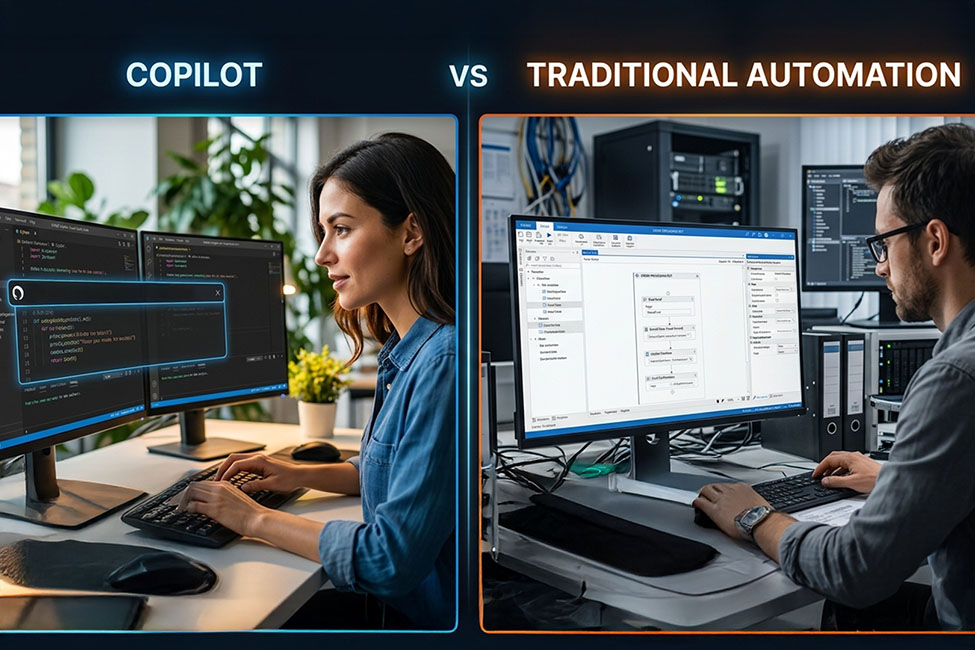
Quick Summary
Automation delivers consistency, but AI copilots bring context. Learn how AI copilots complement automation and what this means for modern business performance and growth.
Key Takeaways
- Traditional automation ensures consistency in rule-based, compliance-driven processes.
- AI copilots provide business leaders with context-aware insights and recommendations.
- Automation drives efficiency, while copilots enhance productivity and judgment.
- Most organisations benefit by combining automation with AI-powered assistance.
- The future lies in balancing execution stability with intelligent decision support.
For years, automation has driven operational efficiency. It has helped businesses cut down on manual work, simplify processes, and grow without always needing more staff. Whether in finance approvals or supply chain tasks, traditional automation has brought order and speed to daily operations.
However, things are starting to shift. Now, the focus is not just on working faster but also on making data-backed decisions along the way.
AI copilots are changing automation by moving it from just doing tasks to helping with decisions. Rather than only following set rules, they help teams analyse information, draft responses, summarise insights, and suggest next steps.
This transformation is already visible across organisations. According to Microsoft Work Trend Index, 75% of employees now use AI at work, and nearly 90% say it helps them focus more on high-value tasks over routine activities.
This signals a clear transition: businesses are not just optimising execution anymore. They are prioritising faster and better decision-making at scale. This blog explains the main differences between traditional automation and AI copilots, so you can see where each one works best and what this means for your business going forward.
What is Traditional Automation?
Traditional automation means using systems that carry out tasks by following set rules and organised steps. At its core, traditional workflow automation relies on:
- Rule-based logic: If X happens, do Y
- Structured workflows: Fixed process paths
- Static logic: No learning or adaptation
- Deterministic outputs: The same input always gives the same result
Many businesses use this type of automation in systems like:
- Robotic Process Automation (RPA) for repetitive tasks
- Workflow engines for approvals and routing
- ERP triggers for transactions and alerts
What is an AI Copilot?
An AI Copilot is a Microsoft-developed generative AI assistant that enhances productivity by integrating with Word, Excel, PowerPoint, Outlook, and Teams. Unlike traditional automation that executes predefined tasks, copilots work alongside teams to enhance how decisions are made and actions are taken.
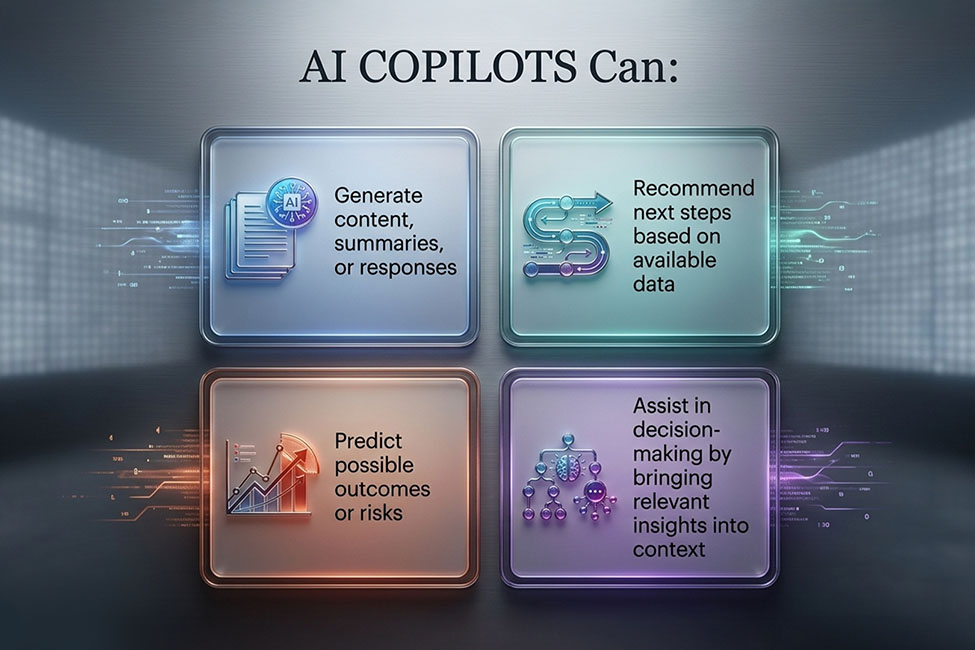
From a leadership perspective, the value of a copilot lies in its ability to reduce the effort required to interpret information and move work forward.
In simple terms, traditional automation helps get tasks done. AI copilots help teams decide what should be done next faster and with better clarity.
The Increasing Adoption of Copilots
AI copilots are now part of daily work routines. The adoption signals are clear:
- 84% of developers already use or plan to use AI tools
- 51% rely on them daily
- 41% of code today is AI-generated
At the enterprise level, this adoption is even more significant. Companies like Infosys, TCS, and Cognizant are together introducing more than 200,000 Copilot licenses for their employees. In fact, D365 Copilot offers three features that go further than what traditional automation tools provide.
1. Contextual intelligence
While rules focus on specific fields, Copilot takes in the full context of conversations and accounts, including email history, meeting notes, product usage, and behaviour patterns. This helps it make recommendations that fit each situation. For example, it can suggest a custom outreach plan for a high-value account by looking at recent product usage and long-term engagement, which simple rules cannot do.
2. Natural language understanding and generation
This is Dynamics 365 Copilot’s most noticeable feature. It can write custom follow-ups, summarise long email chains, or create meeting summaries in the seller’s style. This saves time and effort because sellers get a first draft based on context instead of starting from scratch.
3. Predictive assistanceand insight surfacing
Copilot surfaces insights and recommendations using data from underlying Dynamics 365 AI capabilities such as Sales Insights and Customer Insights. Predictive outputs like deal scoring, risk identification, and opportunity suggestions are powered by these systems, while Copilot presents them in a more accessible, conversational format.
Move Beyond Task Automation to Smarter Execution
Combine AI copilots and automation to improve decisions, reduce effort, and scale productivity across your teams.
Key Differences Between Microsoft Dynamics 365 Copilot vs. Traditional Automation Tools
Traditional automation and AI copilot both follow different approaches. To understand the difference better, we have prepared a table to help you compare both the tools quickly.
| Parameter | Traditional Automation | AI Copilot |
|---|---|---|
| Core Approach | Rule-based execution | AI-driven assistance |
| Primary Role | Automates tasks | Augments human decision-making |
| Logic Type | Fixed, predefined rules | Context-aware and adaptive |
| Workflow Nature | Structured and sequential | Flexible and conversational |
| Handling Complexity | Works best in predictable scenarios | Handles dynamic and evolving situations |
| Learning Capability | Does not learn or evolve | Adapts responses based on context and prompts |
| User Interaction | Requires setup and technical inputs | Works through natural language prompts |
| Speed of Execution | Fast for repetitive processes | Fast for analysis, drafting, and insights |
| Decision Support | Executes instructions | Recommends actions |
| Error Handling | Needs manual intervention for exceptions | Adjusts based on context |
| Scope of Work | Task automation | Insight-driven support |
| Adaptability | Limited | High |
| Integration Approach | Often system-centric | Built for people & systems |
| Use Case Strength | Compliance-heavy, repetitive workflows | Knowledge work, planning, analysis |
| Ease of Use | Requires technical setup | Accessible to business users |
| Customisation | Deep but complex | Flexible but simpler |
| Best For | Stability & predictability | Speed & smarter execution |
| Business Impact | Efficiency gains | Productivity & decision quality |
Now that you have gained the differences at a glance, let us explore them in detail.
Ease of Use
Copilot AI reduces the need for technical workflow configuration by enabling interaction through natural language prompts. In contrast, traditional automation tools usually need more technical know-how to set up and manage workflows.
Intelligence and Adaptability
Traditional automation tools work by following fixed rules. After setup, they handle only certain tasks under certain conditions. If something unexpected happens, they often make mistakes or need a person to step in.
On the other hand, an AI Copilot adapts responses based on context and prompts, not persistent learning. It changes how it responds based on what users do and can adjust as workflows change. Over time, it gets better and understands the context more clearly.
Data Dependency and Performance
The effectiveness of Microsoft Copilot depends heavily on the quality, structure, and accessibility of underlying business data.
Incomplete, siloed, or outdated data can limit the relevance of insights and recommendations. Organisations that invest in strong data governance and unified data platforms see significantly better outcomes from Copilot adoption.
Scope of Automation
Traditional automation works well for repetitive, rule-based tasks, but it is not as effective for creative or thinking-based work.
An AI Copilot Solution does more than just handle basic tasks. It can:
- Surfaces predictive insights from underlying AI models
- Identifies anomalies
- Recommends actions
- Collaborates across departments
- Supports conversational interaction via natural language prompts
User Experience
Traditional automation tools are usually complicated and need technical skills to change workflows. AI Copilot Solutions have easy-to-use interfaces and often use conversational UIs, so non-technical users can take advantage of automation more easily.
Integration and Interoperability
AI copilots are designed to work across modern business applications such as CRM, ERP, and collaboration tools. However, effective integration depends on proper connectors, secure data access, and system configuration. Without this foundation, Copilot’s ability to deliver meaningful insights remains limited. Even access is governed by existing Microsoft permissions.
Cost and Accessibility
Copilot is available through Microsoft 365 and Dynamics 365 licensing, but organisations should also account for additional costs such as implementation, data preparation, security configuration, and change management.
While traditional automation tools may have variable pricing models, Copilot investments are typically tied to enterprise adoption strategy rather than standalone tool usage.
Flexibility and Customisation
Traditional automation tools let businesses create custom workflows that fit their needs, but they can be hard to learn. Copilot is flexible out of the box, though it may not allow for as much deep customization as traditional tools.
While UiPath supports complex Robotic Process Automation (RPA) setups, Copilot excels at automating daily, repetitive tasks that don’t require complex workflow mapping.
Use Cases Where Each Tool Excels
The Primary Use Cases of Microsoft Dynamics 365 Copilot:
- Project Management: Copilot assists in generating status updates, generates reports, and manages tasks directly in Microsoft Teams.
- Data Analysis: Copilot can quickly find insights from Excel and Power BI using simple prompts, making it easier to summarise data for business decisions.
- Email Automation: You can draft and send emails automatically based on certain data or triggers, without setting up manual workflows.
The Primary Use Cases of Traditional Automation Tools :
- Sales Automation: Zapier or Integromat connects your CRM to other tools, so you can automate customer follow-ups, track deals, and generate invoices.
- Complex Workflow Automation: Tools like UiPath help automate detailed, multi-step processes that need a lot of customization.
- Document Management: Traditional automation tools can organize and manage files automatically across platforms like Google Drive, Dropbox, and OneDrive.
Which Solution is Right for Your Business?
For business leaders, the real question is not: Should we choose Copilot or automation? It is: Where should each be used?
| Use Traditional Automation When | Use AI Copilot When |
|---|---|
| Process must follow strict rules | Work involves interpretation |
| Compliance is critical | Speed of insight matters |
| Output must be predictable | Context influences decisions |
| Tasks are repetitive | Work involves planning or analysis |
| Risk of variation is high | Human judgment is required |
Deciding between Microsoft Copilot and traditional automation tools comes down to what your business needs most. If you want easy-to-use, AI-powered automation for daily tasks with little setup, Copilot is a strong choice. But if your business needs more complex, customisable workflows, traditional tools might be better suited.
If your business already uses Microsoft 365, adding Copilot is easy and can quickly improve productivity. But if you need automation that works across many different platforms, traditional tools may be a better match.
Ready to go beyond the traditional automation?
Partner with the top Microsoft Solutions partner in the UK and gain the advantages of Dynamics 365 for your specific business case.
The Future is Hybrid

he future of enterprise productivity is not just about automation or AI alone. Instead, it comes from combining both.
Traditional automation will continue to:
- Execute processes
- Maintain compliance
- Ensure consistency
AI copilots will increasingly:
- Support data-driven decision making
- Accelerate knowledge work
- Improve responsiveness
Organisations that balance execution with intelligence are likely to move faster without compromising control. The competitive advantage will not come from automation alone, but from how effectively organisations combine execution systems with AI-driven decision support.
Final Thoughts
Traditional automation has made business operations more consistent and efficient. Now, AI copilots take things further by adding intelligence, context, and decision support to daily tasks.
For most organisations, the future is not about picking one approach over the other. It is about using both automation and AI in the best way possible. That’s where the right implementation partner makes the difference.
As a trusted Microsoft Dynamics 365 solutions partner, Mercurius IT helps organisations move beyond isolated automation toward a connected, intelligence-driven operating model.
Our approach focuses on:
- Aligning Copilot capabilities with real business workflows
- Ensuring data readiness and governance for accurate AI outputs
- Integrating Copilot seamlessly with existing Dynamics 365 environments
- Delivering measurable outcomes across sales, finance, and operations
Frequently Asked Questions
What is Microsoft Copilot?
Microsoft Copilot is an AI assistant built into Microsoft 365 apps. It helps with content creation, data analysis, communication, and everyday tasks by responding to simple language prompts.
What can Microsoft Copilot do for business teams?
It helps sales, marketing, finance, and service teams quickly draft content, find insights from data, and handle routine tasks. This lets employees work faster and focus on what matters most.
Does Microsoft Copilot require technical expertise?
No. You can use Copilot by typing in plain language. It works inside familiar apps like Word, Excel, PowerPoint, Teams, and Outlook.
Why should business leaders consider Microsoft Copilot?
It helps teams make decisions faster, work together better, communicate more clearly, and manage daily tasks more easily. This saves time and keeps work quality consistent.
Is Copilot safe for customer-facing messages?
Yes, as long as you have guardrails and human review in place. Begin with internal features like summaries and briefs, then move to customer messages once you have checked acceptance metrics and style guidelines.
How long before we see impact?
Most pilot projects show clear improvements in productivity or conversion within 8 to 12 weeks, if you have good data and a clear goal. Typical engagements identify 2–3 high-impact Copilot use cases within weeks.