
Quick Summary
The Sales Order Copilot Agent in Dynamics 365 Business Central helps streamline the order intake process. For businesses, this agent handles routine sales order tasks so sales teams can spend more time connecting with customers.Key Takeaways
- Sales Order Agent automates the entire order process, from email to order creation, while reducing manual effort and delays.
- AI-powered automation enables faster response times and better customer experience without increasing headcount.
- Real-time inventory checks and smart data validation ensure accurate and reliable order processing.
- With the right implementation, it transforms order management into a scalable, intelligent, and growth-ready system.
Sales orders shouldn’t be slowing down your business, but in most organisations, they still do. Even with tools like Microsoft Dynamics 365 Business Central, teams often rely on manual tasks such as reading emails, entering data, checking inventory, and sending quotes.
The pressure is growing. Customers now want quicker replies and up-to-date information, but teams are already busy handling more orders than ever. This is where improvements begin.
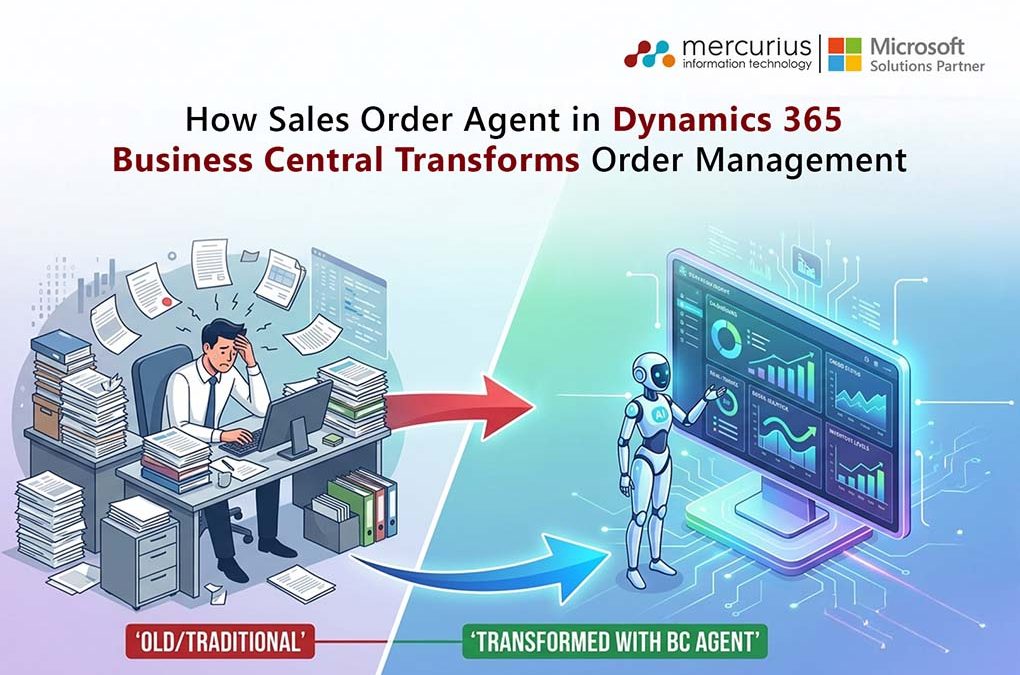
With AI capabilities like Sales Order Agent in Dynamics 365 Business Central, businesses are moving beyond manual processing to intelligent and autonomous order management.
For business leaders, this tackles a big challenge: how to grow sales order operations without increasing costs or making things more complicated. In this blog, we’ll explain how Sales Order Agent is changing order management and what that could mean for your business.
What is a Sales Order Agent in Business Central?
Sales Order Agent is an AI tool that automates sales quotes and order requests from customers. It manages the process, including receiving orders by email, reading data from attachments, finding the customer in Business Central, checking item availability, preparing quotes, following up on changes, getting quote approval, and turning quotes into sales orders.
Built on Microsoft Copilot, AI agents act like a digital operations assistant that can read customer emails and attachments, understand order requests, and automatically create accurate sales quotes and orders, without constant human involvement.
Capabilities of a Sales Order Agent
The Sales Order Agent in Microsoft Dynamics 365 Business Central is a smart tool that helps manage your whole order process with very little manual work. For business leaders, it offers control, speed, and accuracy without extra effort. Here are some of the main features it provides.
- Always-on email monitoring always keeps an eye on your shared inbox and captures every order request, so you never miss an opportunity.
- Intelligent customer recognition matches incoming emails to the correct customer records right away, using the right pricing, terms, and order history.
- Smart product identification understands what customers want, even if their descriptions are unclear, and connects them to the right SKUs.
- Real-time availability checks confirm inventory before orders are placed, helping prevent stockouts and overpromising.
- Automated quote creation quickly generates complete and accurate quotes, including pricing, taxes, and delivery timelines.
- Context-aware customer communication handles email conversations as needed, which cuts down on manual follow-ups and delays.
- Seamless order conversion turns approved quotes into sales orders right away and removes the need for duplicate data entry.
- Configurable to your business rules, it works with your pricing, approval processes, and company policies.
- Secure access and permissions mean it works within set roles, helping you maintain governance and compliance.
- Full transparency and an audit trail ensure every action is tracked, so you have complete visibility and control.
Handling orders manually still causes 1 to 5 percent data entry errors and takes up a lot of time. With AI-driven agents, businesses can boost efficiency by up to 30 percent and keep the order process consistent.
Still Processing Sales Orders Manually?
Automate order capture, validation, and quote creation to reduce manual effort and improve processing speed.
How does the Sales Order Agent Processes Requests?
The Sales Order Agent in Business Central follows a structured, automated workflow to capture, interpret, and process incoming sales requests with minimal manual intervention.
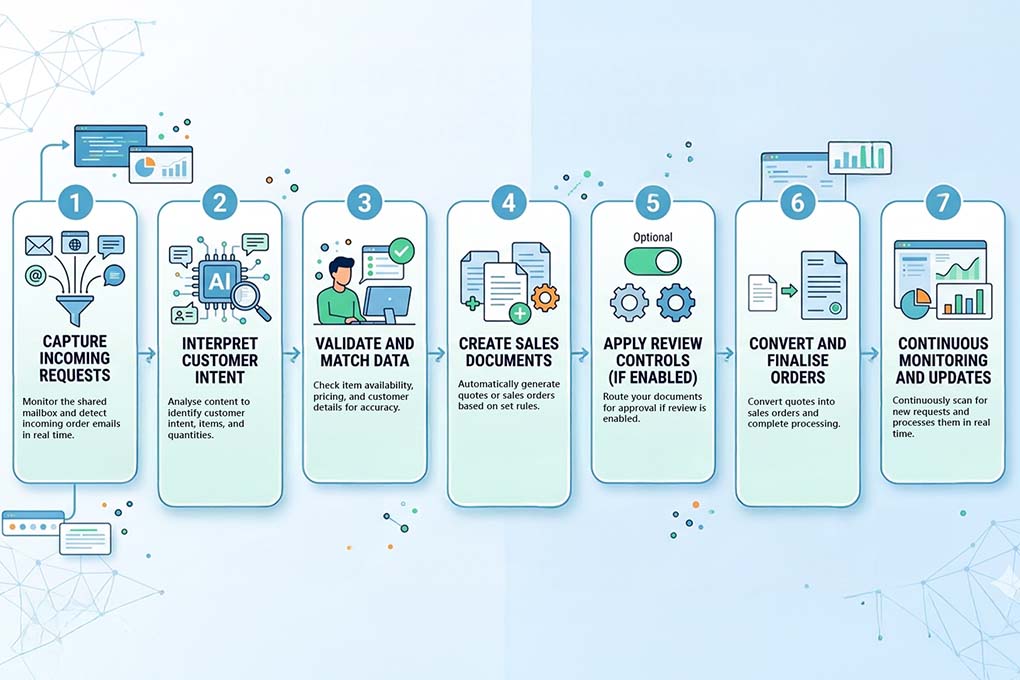
- Capture Incoming Requests: The agent continuously monitors the connected shared mailbox and identifies relevant customer communications such as order requests, inquiries, or quote submissions in real time.
- Interpret Customer Intent: Using AI-powered capabilities, the agent analyses email content to understand customer intent, extract key details like items, quantities, and delivery requirements, and validate the information against available data.
- Validateand Match Data: The agent cross-checks requested items with available inventory, pricing, and customer records. It ensures only valid and available items are considered, reducing errors and inconsistencies.
- Create Sales Documents: Based on the interpreted request, the agent automatically generates the appropriate sales documents like quotes or sales orders. These are directly aligned with predefined business rules and configurations.
- Apply Review ControlsIf Enabled: For organisations requiring oversight, the agent can route generated quotes or orders for review before finalisation, ensuring compliance and accuracy.
- Convert and Finalise Orders: If configured, the agent seamlessly converts approved quotes into sales orders, accelerating the order lifecycle without additional manual steps.
- Continuous Monitoring and Updates: The agent remains active, polling the mailbox at regular intervals to process new requests, update existing transactions, and ensure real-time responsiveness.
Real-World Use Cases of Sales Order Agents
Sales Order Agent in Microsoft Dynamics 365 Business Central delivers the most value where order volumes are high, processes are repetitive, and speed directly impacts revenue.
Here’s how businesses are using it in the real world:
- Manufacturing & Distribution – In the manufacturing field, sales order agents automate bulk order processing from emails, reducing manual workload and ensuring faster turnaround times for large, complex orders.
- E-commerce & Backend ERP Operations – In e-commerce, sales order agents streamline backend order management by automatically validating, processing, and syncing orders with inventory and fulfilment systems.
- B2B Sales Teams – For sales teams, sales agents accelerate the quote-to-cash cycles by instantly generating quotes and converting them into orders. This helps teams close deals faster.
Reduce Order Processing Time with AI
See how Business Central can automate repetitive order tasks while improving accuracy and customer response times.
Key Challenges and Considerations for Implementing the Sales Order Agent in Microsoft Dynamics 365 Business Central
Although the Sales Order Agent in Microsoft Dynamics 365 Business Central offers significant efficiency improvements, its successful adoption requires careful attention to several critical factors.
- Ongoing Evolution of Artificial Intelligence : As a relatively recent capability, the Sales Order Agent may exhibit limitations when processing highly complex or unstructured orders. Organisations are advised to begin with controlled use cases and expand implementation incrementally.
- Importance of Data Quality : The Sales Order Agent depends on accurate customer, pricing, and inventory data. Inadequate data quality may result in incorrect quotations or processing errors. In fact, poor data quality can cost businesses up to 25% of revenue, making data governance essential.
- Continued Necessity of Human Oversight: Although automation manages most tasks, approvals and exception handling still require human intervention to maintain accuracy and regulatory compliance.
- Change Management and User Adoption: Successful adoption requires that teams develop trust in and adapt to AI-driven workflows. Insufficient training and organisational alignment may delay the realisation of anticipated returns on investment.
Benefits of Using the Sales Order Agent
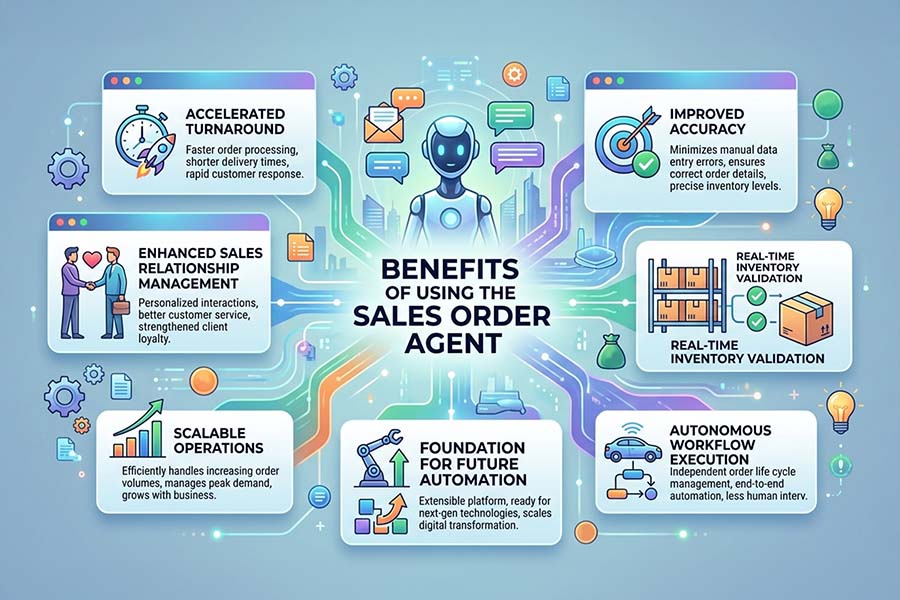
- Accelerated turnaround: The system processes quotes and orders with increased speed.
- Enhanced sales relationship management: Sales representatives allocate less time to order entry and more time to account development and business acquisition.
- Scalable operations: Organisations can manage increased order volumes without expanding the workforce.
- Improved accuracy: Automated validation reduces errors in finance, supply chain, and customer relationship management systems.
- Foundation for future automation: As Microsoft’s first prebuilt agent for Business Central, this solution establishes a basis for expanded automation.
- Autonomous workflow execution: Manages the entire order process, from receiving an email to creating the order, without manual work. This helps your team avoid repetitive tasks.
- Multi-turn email conversations: Engages with customers to clarify missing details, eliminating back-and-forth delays and improving response times.
- Real-time inventory validation: Checks if items are in stock right away before confirming orders. This prevents overpromising and helps avoid fulfilment problems.
Increase Order Capacity Without Growing Your Team
Automate routine sales order tasks so your teams can focus on customers instead of administration.
Why Choose Mercurius IT for Sales Order Agent Setup in Business Central?
Setting up the Sales Order Agent in Microsoft Dynamics 365 Business Central is more than a technical task. It changes how your business operates, and that’s often where companies face challenges.
At Mercurius IT, we focus on more than just turning on the feature. We make sure it works for your actual business needs.
In our experience, success comes from three things: clean data, proper setup, and matching the process to your business. If any of these are missing, automation won’t deliver the results you expect.
What sets Mercurius IT apart?
- Business-first approach- We set up the Sales Order Agent to match your real order workflows, not just a standard template.
- Faster time-to-value- Our experience with Dynamics 365 Business Central helps us deploy faster and deliver results you can measure.
- End-to-end optimisation- We handle everything from setting up mailboxes to fine-tuning the AI, so your agent works well from the start.
- Continuous improvement- We keep improving the system after launch, using real data from how your team works.
If you are a business leader, the benefits are easy to see. This isn’t just another feature for your ERP. It’s a way to make your order management smarter, more efficient, and ready to grow with your business.
Bottom Line
The Sales Order Agent in Dynamics 365 Business Central represents a significant advancement in sales automation. It manages routine order processing, increases efficiency, reduces errors, and enables sales teams to prioritise customer engagement. As users retain oversight, organizations can confidently leverage this feature to realise automation benefits while maintaining accuracy.
While Microsoft provides the foundational tools, translating these features into tangible business value requires specialised expertise. Mercurius IT UK assists organisations by implementing and configuring the Sales Order Agent, integrating it with Copilot services, and optimising workflows for seamless adoption. Their practical experience with Dynamics 365 Business Central enables businesses to mitigate implementation challenges and accelerate outcomes.
Frequently Asked Questions
What does a Sales Order Agent in Business Central do?
The Sales Order Agent in Microsoft Dynamics 365 Business Central helps automate the entire sales order process. It reads customer requests from emails, pulls out order details, matches them to customers, checks inventory, creates quotes, and turns them into sales orders. This reduces manual work and mistakes, making order processing faster.
How to activate Sales Order Agent in Business Central?
Here’s how you can turn on the Sales Order Agent in Dynamics 365 Business Central:
- Enable Copilot/AI features in your Business Central environment
- Set up a Microsoft 365 shared mailbox
- Assign user roles and permissions
- Configure workflows, pricing, and approval rules
- Turn on the Sales Order Agent feature
Setting things up correctly helps the automation work well and keeps your order processing running smoothly.
What is a sales order in Business Central?
In Microsoft Dynamics 365 Business Central, a sales order is a document that records what a customer wants to buy. It lists the products, quantities, prices, and delivery details, and guides the whole process from fulfilling the order to sending the invoice.