
Overview
For CIOs and technology leaders, securing AI within ERP is about balancing innovation with risk control. Microsoft safeguards ERP AI data in Dynamics 365 and Copilot through a layered security architecture, tenant isolation, encryption, strict access governance, and compliance alignment with global standards such as GDPR and ISO 42001.
Key Takeaways
- Microsoft secures ERP AI data through encryption, access control, and layered security.
- Copilot respects ERP permissions and never uses customer data for AI model training.
- Microsoft Purview enables unified governance, DLP, and AI risk management.
- Global standards like ISO 42001 and GDPR ensure Microsoft’s audit-ready AI compliance.
As enterprises increasingly rely on AI within their ERP systems, the amount of sensitive business data being processed has grown significantly. From financial records and supply chain data to employee and customer information, ERP platforms now sit at the core of intelligent decision-making. This makes data security and privacy not just a technical requirement, but a business-critical priority.
Microsoft builds its ERP and AI ecosystem with trust at the centre. Security, privacy, and compliance are embedded into the platform by design, ensuring customer data remains protected, governed, and under the organisation’s control. As AI capabilities become deeply integrated across ERP workflows, Microsoft applies strict safeguards to ensure data is used responsibly, securely, and transparently.
How Microsoft Protects ERP AI Data?
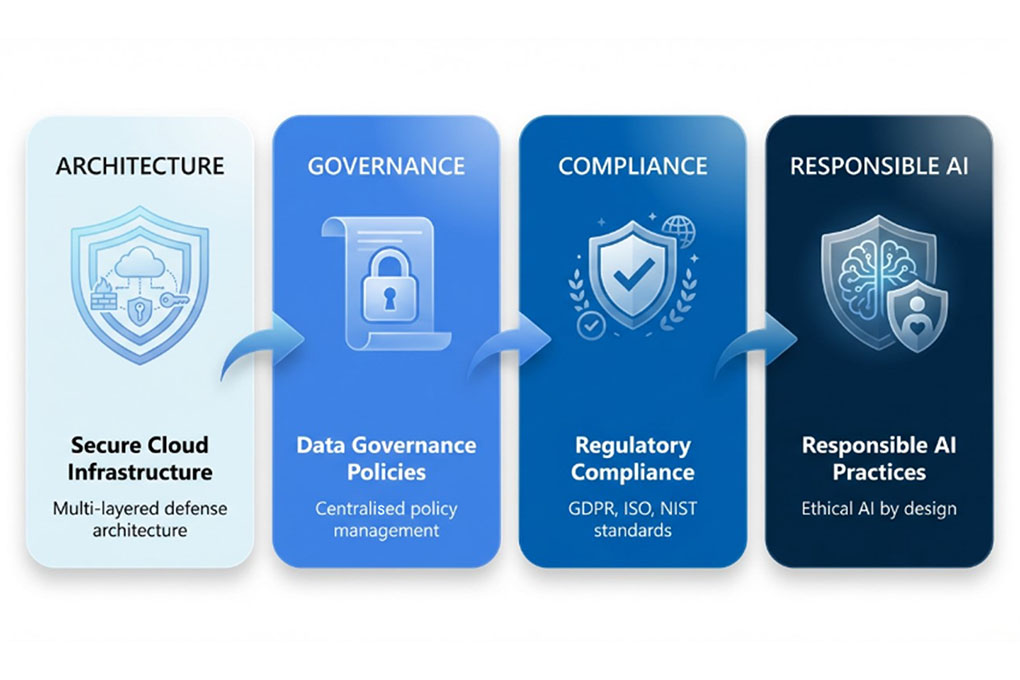
Microsoft protects Enterprise Resource Planning AI data, especially within Dynamics 365 and Microsoft 365 Copilot, by treating customer data as private. Within Microsoft’s ERP ecosystem, most generative AI capabilities are delivered through Copilot. Therefore, when we refer to ERP AI security, it largely includes how Copilot interacts with, processes, and protects enterprise data inside Dynamics 365.
Microsoft’s Trust Principles for Data Security & Privacy
When it comes to ERP and AI data, trust is the foundation for Microsoft. Microsoft works on one core principle, that is, customers always control their data. ERP and AI data are never used for advertising or marketing purposes. So, organisations decide how their data is stored, accessed, and processed, giving them full ownership and transparency across their digital environment. This commitment to enterprise data privacy is central to Microsoft’s cloud security principles.
Microsoft also aligns its platforms with globally recognised standards and regulations like GDPR, ISO certifications, and industry-specific compliance requirements. This built-in compliance helps organisations use AI across ERP workflows while maintaining strong data governance and enterprise-grade privacy.
-
Security Architecture for ERP & AI Workloads
Microsoft approaches ERP and AI security with a layered architecture, so data stays protected whether it’s stored, moving across systems, or actively being processed by AI models. Each layer works together to keep sensitive business information secure, compliant, and under your control.
-
Encryption at Rest and in Transit
Microsoft encrypts ERP data both at rest and in transit by default. This means your ERP databases, backups, files, and system logs are protected whether they’re stored in Azure or being transferred between services. Even if data is intercepted or accessed without authorisation, encryption ensures it remains unreadable. With encrypted ERP data as a baseline, organisations can confidently use AI without exposing sensitive information.
-
Confidential Computing for AI Workloads
AI processing often raises a key concern – What happens to data while it’s being analysed? Microsoft addresses this through confidential computing. With confidential computing, data remains encrypted even while it’s being processed in memory. This hardware-level protection ensures that ERP AI workloads are shielded from unauthorised access. It also adds an extra layer of security for organisations running advanced AI models on sensitive ERP data, enabling truly secure AI computing.
-
Access Control & Isolation
Microsoft enforces strict identity and access controls across ERP and AI services using role-based permissions and policy-driven access. AI tools and services can only access ERP data that they are explicitly authorised to use.
Is Your ERP AI Truly Secure?
Validate your Dynamics 365 and Copilot security with Microsoft-backed controls and expert guidance.
Microsoft Purview: Governance & AI Data Protection
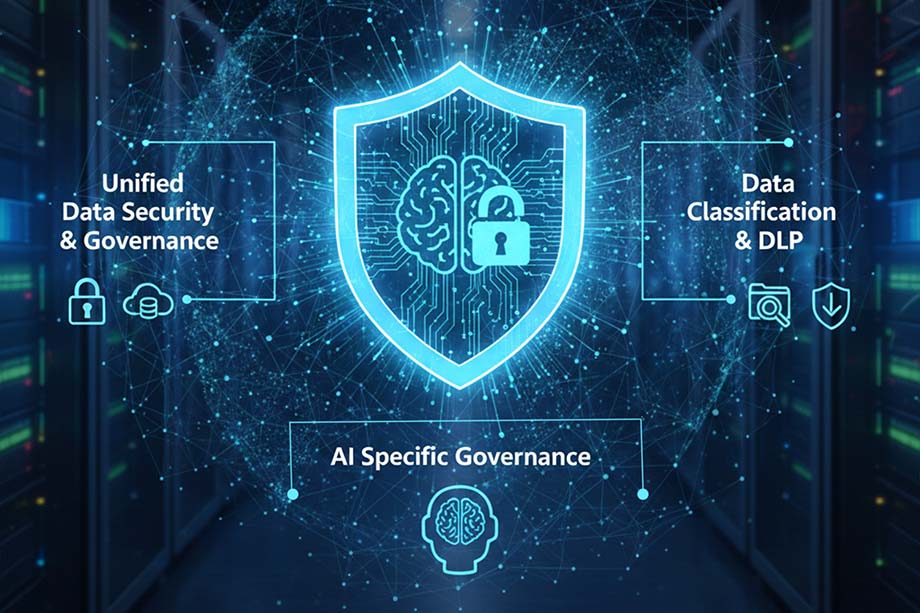
Microsoft Purview helps organisations maintain strong control over their ERP and AI data by bringing governance, security, and compliance into a single, unified framework. It ensures sensitive business data is properly classified, protected, and monitored, especially as AI becomes deeply embedded in ERP workflows.
-
Unified Data Security & Governance
One of the biggest challenges for enterprises today is consistency. When data governance lives in many places, like different tools, ecosystems, or cloud services, it is easy for gaps to open up that attackers or leaks can exploit. Microsoft Purview solves this by unifying data security, governance, and compliance under one roof. It inventories data across on-premises systems, multicloud sources, and SaaS applications, giving security and compliance teams a single view of their entire data estate.
Microsoft Purview provides a centralised view of data across ERP systems, cloud services, and AI tools. By unifying policies, compliance controls, and data protection, it helps organisations apply consistent governance rules and reduce security gaps across their entire data estate.
-
Data Classification & DLP Controls
Imagine trying to protect something if you don’t even know what you have or where it lives. That’s where Microsoft Purview’s data classification and Data Loss Prevention (DLP) controls come in. Purview automatically scans and tags data based on sensitivity and content type, so your most critical business data is properly labelled and governed from the start.
This combination of classification and policy-driven protection is powerful because it not only identifies what’s sensitive but also actively stops risky actions before they happen. In fact, these controls protect against common ERP AI risks such as data leakage, over-permissioned AI access, insider misuse, and regulatory non-compliance.
-
AI-Specific Governance
AI changes the game by introducing new interaction patterns with data, especially when employees use generative AI tools to ask questions, generate reports, or automate workflows. Microsoft Purview’s Data Security Posture Management (DSPM) for AI helps organisations understand and govern these interactions with visibility and control that’s specific to AI-related risk.
DSPM for AI gives security teams insights into how data is being accessed and shared by AI systems, points out risky usage patterns, and recommends actions to strengthen policies. With preconfigured controls and continuous risk monitoring, DSPM helps businesses manage AI risk without slowing down innovation.
ERP-AI Integration: Copilot & Security Controls
As AI becomes part of everyday ERP workflows, a common concern for businesses is simple: Can AI access more data than it should? Microsoft addresses this head-on with Dynamics 365 Copilot. Copilot works within your existing ERP security framework, not outside it. This ensures a secure ERP AI integration where productivity improves, without even compromising data privacy or control.
Privacy Controls for Copilot
Copilot does not create new permissions or bypass existing security rules. It follows the same role-based access controls already defined in your ERP system. So, even if a user doesn’t have access to certain financial, HR, or operational data, Copilot won’t surface it either.
This design ensures that AI respects existing data boundaries and access policies, making Copilot data privacy consistent with your organisation’s current security model.
Temporary Mode for Enhanced Privacy
For additional control, organisations can use Copilot in temporary mode. In this mode, Copilot does not retain prompts, responses, or session data after the interaction ends. This is particularly useful for sensitive or exploratory queries where businesses want added assurance that no conversational data is stored beyond the session.
This optional layer of protection gives enterprises greater flexibility while maintaining strict privacy standards.
No Data Shared with Third Parties
One of the most important questions enterprises ask is whether AI tools use their data for training. Microsoft is clear on this. Its customer data is not shared with OpenAI and is not used to train foundation models without explicit permission.
Data processed by Copilot stays within Microsoft’s trusted cloud environment and remains under the customer’s control. This approach supports generative AI enterprise security while allowing businesses to benefit from AI-driven insights without risking data exposure.
Tenant-Level Data Boundaries
Copilot operates strictly within your organisation’s tenant. This means it only accesses and processes data from your environment, never from other customers or external sources. There is no cross-tenant data mixing that ensures complete isolation and privacy.
This tenant-level data boundary is essential for enterprises running AI across ERP systems, as it guarantees that insights generated by Copilot are based solely on authorised and internal data. It’s a foundational element of secure ERP AI integration at scale.
Don’t Let AI Become Your Biggest Data Risk
Adopt AI in Dynamics 365 with built-in compliance, privacy-by-design, and expert guidance from an award-winning Microsoft partner.
Compliance, Certifications, and Global Standards
For enterprises using AI within ERP systems, compliance matters a lot. Organisations need assurance that their ERP and AI platforms are built to meet global regulations, pass audits, and adapt to evolving legal requirements. Microsoft designs its cloud, ERP, and AI ecosystem to be audit-ready and aligned with internationally recognised standards.
ISO/IEC Certifications for Responsible AI
Microsoft aligns its AI systems with internationally recognised standards, including ISO/IEC 42001, the world’s first management system standard specifically focused on artificial intelligence. This ISO/IEC 42001 certification helps organisations ensure their AI systems are governed responsibly, with built-in controls for risk management, transparency, and accountability.
By achieving and supporting ISO AI certification, Microsoft demonstrates that its AI and ERP platforms follow structured, auditable processes, while providing enterprises a strong foundation for responsible and compliant AI adoption.
GDPR Compliance & AI Data Protection
Data protection remains a top concern for businesses operating in or serving customers in the European Union. Microsoft ERP platforms are built to support GDPR compliance, ensuring personal and sensitive data is processed lawfully, transparently, and securely.
Alignment with Global and Emerging Regulations
Microsoft actively aligns its platforms with emerging AI compliance frameworks, including the upcoming EU AI Act and regional data protection laws like the Digital Personal Data Protection (DPDP) Act.
Responsible AI and Privacy-By-Design
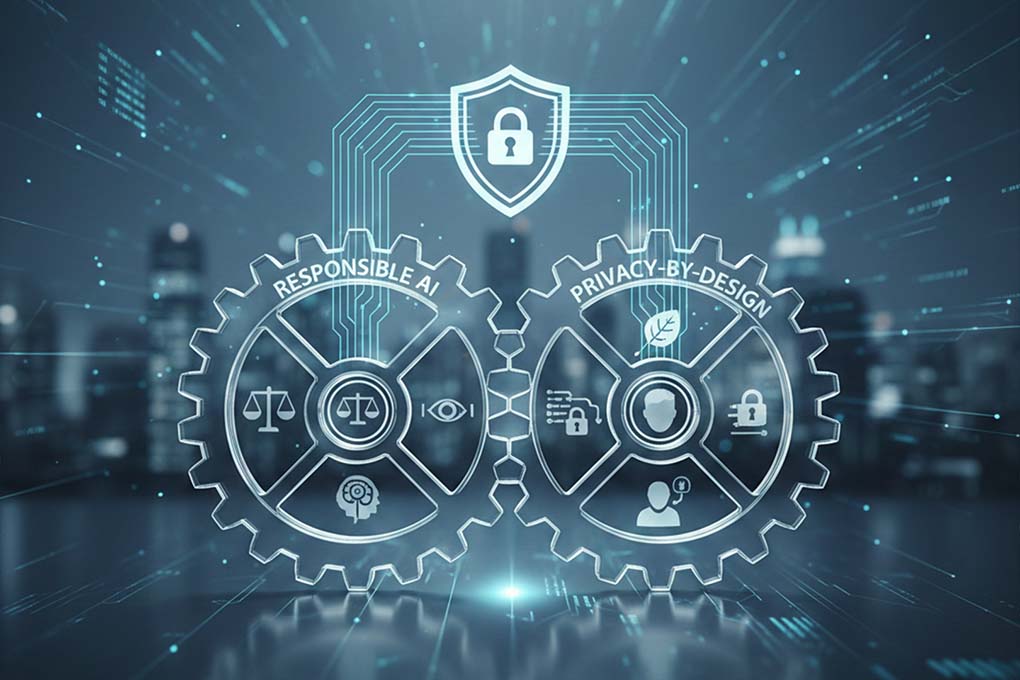
Microsoft’s approach to AI goes beyond technology and focuses on trust, ethics, and accountability. Responsible AI and privacy-by-design are embedded into how Microsoft builds, deploys, and evolves its ERP and AI solutions, ensuring businesses can innovate without compromising user trust.
Responsible AI Principles: Privacy and Ethical Use
Microsoft’s AI systems are guided by a clear set of Responsible AI principles, including fairness, reliability, transparency, accountability, and, most importantly, privacy and security. These principles ensure that AI tools respect user data, avoid unintended harm, and operate in ways that align with legal and ethical expectations.
For enterprises, this means AI features within ERP systems are designed to support ethical enterprise AI use.
Privacy-By-Design Across the Product Lifecycle
Through a privacy-by-design approach, privacy considerations are embedded throughout the entire product lifecycle, from early design and development to deployment and ongoing operations.
This approach ensures that ERP and AI solutions are developed with data minimization, access control, and transparency in mind. As AI capabilities evolve, Microsoft continuously reviews and updates its privacy safeguards to align with global expectations and regulations. This commitment helps enterprises adopt AI confidently while staying aligned with core AI privacy principles.
Best Practices for ERP AI Data Security
Using AI within your ERP system brings powerful advantages, but only when security is handled the right way. By following a few proven best practices, organisations can strengthen security, reduce risk, and confidently scale AI across business operations.
- Implement Strict Access Roles & Isolation- Ensure users and AI tools only access what they’re authorised to. Role-based controls prevent over-permissioning and keep ERP data securely isolated.
- Adopt Purview DLP & Data Classification- Automatically identify and protect sensitive ERP data. Purview’s classification and DLP policies help prevent accidental or unauthorised data sharing.
- Monitor AI Interactions with DSPM- Gain visibility into how AI tools interact with ERP data. DSPM for AI helps detect risks early and manage AI-related data exposure.
- Leverage Encryption and Confidential Computing- Encrypt ERP data at rest and in transit. Confidential computing adds protection by keeping data encrypted even during AI processing.
- Conduct Regular Compliance Audits- Review access, data usage, and AI activity regularly to stay compliant, audit-ready, and aligned with evolving regulations.
Turn Microsoft Security into a Business Advantage
Mercurius IT helps enterprises deploy secure, compliant ERP AI backed by Microsoft’s trusted architecture.
Bottom Line
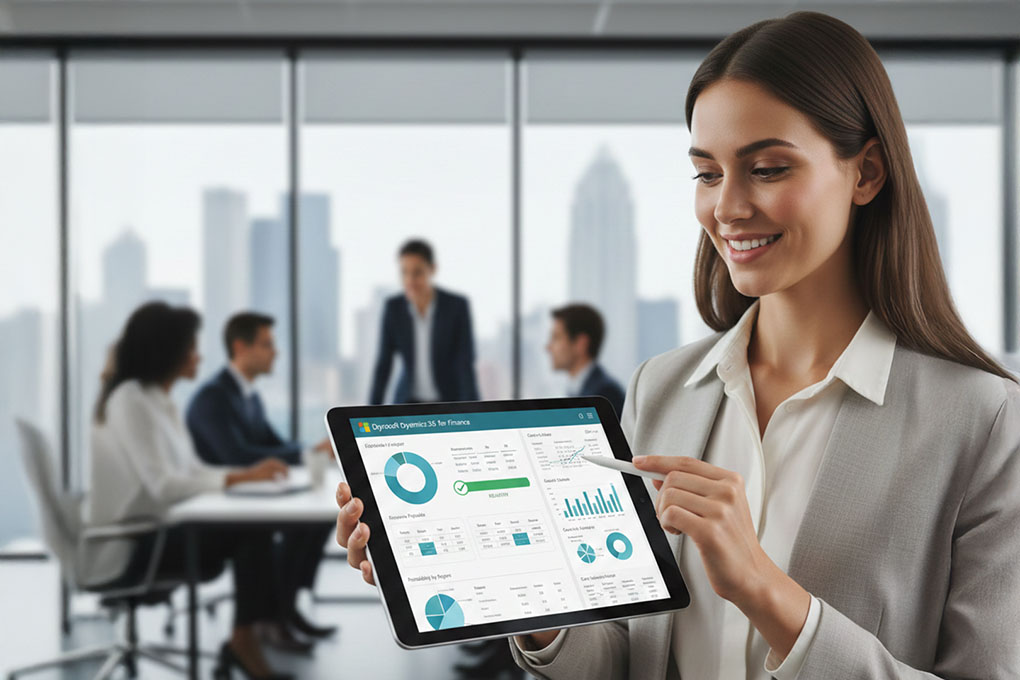
Microsoft protects ERP AI data at every stage, from secure architecture and encryption to strong governance, compliance, and responsible AI practices. This end-to-end approach ensures enterprise data remains private, controlled, and compliant as AI becomes part of everyday ERP workflows.
With continuous compliance and privacy-by-design at its core, Microsoft enables organisations to innovate with confidence. Partnering with Mercurius IT, an award-winning and trusted Microsoft partner, helps businesses implement these capabilities effectively, ensuring ERP and AI solutions are secure, compliant, and built for long-term success.
Frequently Asked Questions
What does Microsoft implement to ensure AI data security and protection in Copilot?
Microsoft Copilot is built on enterprise-grade security and privacy controls. It respects existing role-based access permissions, operates within tenant-level data boundaries, and ensures customer data is never used to train foundation AI models. All data processed by Copilot remains encrypted and stays within Microsoft’s trusted cloud environment, ensuring secure and compliant AI usage.
How do I protect AI apps and data in Microsoft 365?
AI apps and data in Microsoft 365 are protected through a combination of identity management, access controls, encryption, and governance tools. Several features like Microsoft Entra ID, data loss prevention (DLP), sensitivity labels, and continuous monitoring help organisations control who can access AI-enabled data and prevent unauthorised sharing across workloads.
How does Microsoft Purview secure data for AI?
Microsoft Purview secures AI data by providing end-to-end data governance and visibility. It automatically classifies sensitive data, applies DLP policies, and monitors how AI tools interact with that data. With AI-specific controls like DSPM for AI, Purview helps organisations detect risks early and enforce consistent protection across ERP and AI workflows.
How does Dynamics 365 ensure the protection of sensitive business data?
Dynamics 365 protects sensitive business data using advanced encryption, role-based security, and isolation controls. Access to data is limited based on user roles, ensuring only authorised users and systems can view or process critical information. The platform runs on Microsoft Azure’s secure infrastructure, delivering high levels of data protection and privacy.
What security best practices does Microsoft recommend for Dynamics 365 users?
Microsoft recommends enabling multi-factor authentication, applying least-privilege access, performing regular security assessments, and keeping systems up to date with the latest patches. Organisations should also use Microsoft Purview for data governance and continuously review access and AI activity to maintain a strong, audit-ready security posture.
Secure Your ERP AI Strategy with Microsoft