
Quick Summary
Microsoft Copilot adoption is growing, but real enterprise value depends on strategic licensing, data readiness, and targeted deployment to control costs and deliver measurable ROI.
Key Takeaways
- Copilot pricing is simple per user, but total enterprise cost depends on licensing, scale, and implementation readiness.
- Hidden costs like data preparation, governance, and training significantly impact overall investment.
- Targeted deployment in high-impact roles delivers a stronger ROI than an organisation-wide rollout.
- Successful adoption requires phased implementation with clear KPIs and governance controls.
- Enterprises that treat Copilot as a business transformation initiative, not just a tool, achieve measurable outcomes faster.
Microsoft CEO Satya Nadella recently stated that the Copilot platform is “becoming a true daily habit,” highlighting growth in AI chats, search, browsing, shopping, and operating system integrations.
Microsoft now has 15 million paid Microsoft 365 Copilot seats, a 160% increase from last year. However, The Register reports that only 3.3 percent of Microsoft 365 and Office 365 users who access Copilot Chat are paying customers. This indicates a significant gap between user interest and investment readiness.
Currently, enterprises are no longer questioning whether to adopt artificial intelligence. Instead, they are focused on the following considerations: What are the actual costs involved, and will the implementation deliver measurable business value?
This guide provides an overview of Microsoft Dynamics 365 Copilot, including its pricing models, licensing structure, potential hidden costs, implementation strategies, and realistic expectations for return on investment.
Overview of Microsoft Copilot for Enterprises
Microsoft Copilot Studio is an AI-powered assistant integrated into Microsoft 365, Dynamics 365, and the Power Platform. It is designed to operate seamlessly within existing business environments.
Copilot leverages enterprise data through Microsoft Graph to provide context-aware content, automate workflows, and generate actionable insights from meetings and business operations. For business leaders, Copilot facilitates a transition from manual productivity to data-driven decision-making.
Pricing Structure Explained
The cost of Microsoft Copilot extends beyond licensing fees and depends on how its usage is structured and scaled across the organization.
- Add-on Model (most common): Copilot is layered onto existing Microsoft 365 licenses, resulting in increased total per-user expenditure.
- Bundled Plans: Copilot is incorporated into broader subscription plans, which may provide improved cost alignment for certain organisations.
- Consumption-Based: This pay-per-use model for Copilot Chat and agents is suitable for pilot programs, though it can be more challenging to manage at scale.
This means for an organisation with 1,000 users, licensing costs may begin at approximately $300,000 per year. However, when accounting for training, implementation, and governance, total expenditures typically increase to 1.5 to 2 times the license value.
For business leaders, Microsoft Copilot’s cost-effectiveness depends on the deployment strategy. It requires a targeted implementation in high-impact roles that consistently yields a stronger return on investment than broad, organisation-wide adoption.
Microsoft Copilot Pricing Breakdown
Microsoft Copilot follows a simple per-user pricing model in the UK, but the overall investment can add up quickly at scale.
Microsoft Copilot Studio pay-as-you-go meter
• Pricing: $0.01/Copilot Credit
Microsoft Copilot Studio License (Copilot Credit capacity pack)
Copilot Credit capacity packs are offered through the Copilot Studio subscription license. Copilot Credit capacity packs should be purchased for the anticipated number of Copilot Credits your tenant is expected to consume each month.
- Pricing: $200 per capacity pack/month
- Copilot Credit Capacity: 1 capacity pack = 25,000 Copilot Credits
Copilot Credit Pre-Purchase Plan
The Copilot Credit P3 Plan offers organisations a one-year, pay-up front purchase option for Copilot Credits at tiered discounts. Customers purchase a pool of Copilot Credit Commit Units (CCCUs) that automatically covers the usage of Copilot Credits. Each CCCU is worth $1 and converts to 100 Copilot Credits.
However, it is important to note that Copilot is not a standalone product. It is integrated with existing Microsoft environments. Consequently, enabling additional users increases the total cost proportionally.
For most enterprises, consideration should extend beyond pricing to include areas where Copilot provides the greatest value. Targeted deployment to appropriate users is recommended over organisation-wide implementation.
Not sure what Copilot will actually cost your business?
Get a tailored estimate based on your users, licences, and use cases, before you commit budget.
Hidden Costs Enterprises Often Miss
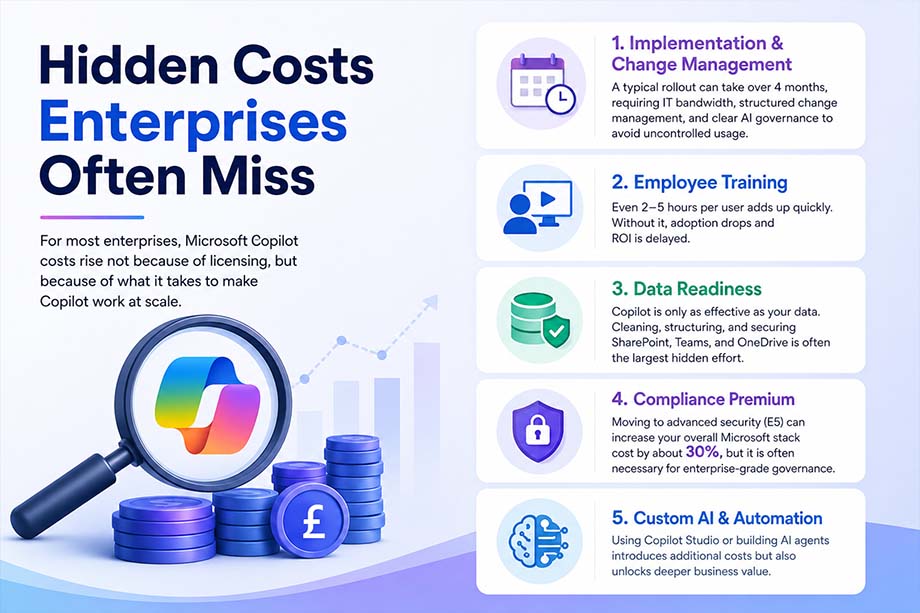
For most enterprises, Microsoft Copilot costs rise not because of licensing, but because of what it takes to make Copilot work at scale.
- Implementation & Change Management: A typical rollout can take over 4 months, requiring IT bandwidth, structured change management, and clear AI governance to avoid uncontrolled usage.
- Employee Training: Even 2–5 hours per user adds up quickly. Without it, adoption drops and ROI is delayed.
- Data Readiness: Copilot is only as effective as your data. Cleaning, structuring, and securing SharePoint, Teams, and OneDrive is often the largest hidden effort.
- Compliance Premium: Moving to advanced security (E5) can increase your overall Microsoft stack cost by about 30%, but it is often necessary for enterprise-grade governance.
- Custom AI & Automation: Using Copilot Studio or building AI agents introduces additional costs but also unlocks deeper business value.
Here is an essential thing that business leaders need to know! Microsoft Copilot is not a plug-and-play. The real investment is preparing your organisation to use it effectively, and that ultimately determines ROI.
Licensing Guide: How to Choose the Right Copilot Plan
Selecting an appropriate Microsoft Copilot plan involves aligning organisational investment with measurable business impact, rather than focusing solely on licensing requirements.
- Step 1: Assess the Existing Base License- Begin by evaluating the current Microsoft 365 configuration (E3, E5, or Business Premium), as the existing software stack determines both cost and available capabilities.
- Step 2: Identify High-Impact Users- Copilot deployment should prioritise roles where time savings directly contribute to organisational value, such as Sales, Finance, Executive leadership, and Customer Service.
- Step 3: Start with a Pilot- Implement Copilot with 5–10% of the workforce to evaluate real-world usage, measure productivity improvements, and identify operational gaps.
- Step 4: Scale Deployment Based on ROI- Expand deployment exclusively in areas where results have been validated, ensuring controlled costs and accelerated returns.
Implementation Roadmap
Effective deployment of Microsoft Copilot requires a structured implementation with clear controls and measurable outcomes, rather than a simple activation.
- Phase 1: Readiness Assessment- Before deployment, check your data security, review how mature your Microsoft 365 setup is, and find the use cases that will have the most impact.
- Phase 2: Pilot Deployment- Initiate the pilot with selected teams and establish clear key performance indicators such as time saved, output quality, and adoption rates.
- Phase 3: Governance & Controls- Develop data access policies, prompt guidelines, and risk controls to ensure secure and responsible use of artificial intelligence.
- Phase 4: Organisation-Wide Implementation- Expand deployment incrementally, incorporating ongoing training and robust change management to facilitate adoption.
- Phase 5: Optimisation- Monitor usage and return on investment and refine use cases to maximise business impact.
In practice, enterprises that approach Copilot as a phased transformation rather than a one-time deployment achieve faster adoption, improved control, and greater return on investment.
ROI of Microsoft Copilot: What Enterprises Actually Gain
The value of Copilot is clear in the real world. Companies see time saved and work getting done faster across their teams. In fact, companies report saving up to 46 minutes per employee each day, allowing teams to spend less time on routine tasks and more on important projects.
Below is where the impact is most visible:
- Faster document and report creation
- Reduced time spent in meetings
- Quicker, data-backed decision-making
- Automation of repetitive, low-value tasks
For leaders, this means Copilot does more than boost efficiency. It gives teams more time, so employees can focus on valuable work that leads to real business results.
Common Challenges & Risks
Although Microsoft Copilot demonstrates significant potential, enterprises frequently encounter interconnected challenges that affect both adoption and return on investment (ROI):
- Adoption & Change Resistance: High initial interest does not necessarily translate into sustained or paid usage. In the absence of effective change management, employees often revert to established work practices.
- Data Security & Governance Risks: Copilot generates insights from organisational data. Improperly configured permissions may result in the unintended disclosure of sensitive information.
- Cost Justification Challenges: When return on investment is not immediately apparent, organisational leadership, particularly chief financial officers (CFOs), may question the value of the investment and delay enterprise-wide implementation.
Best Practices for Effective Copilot Implementation
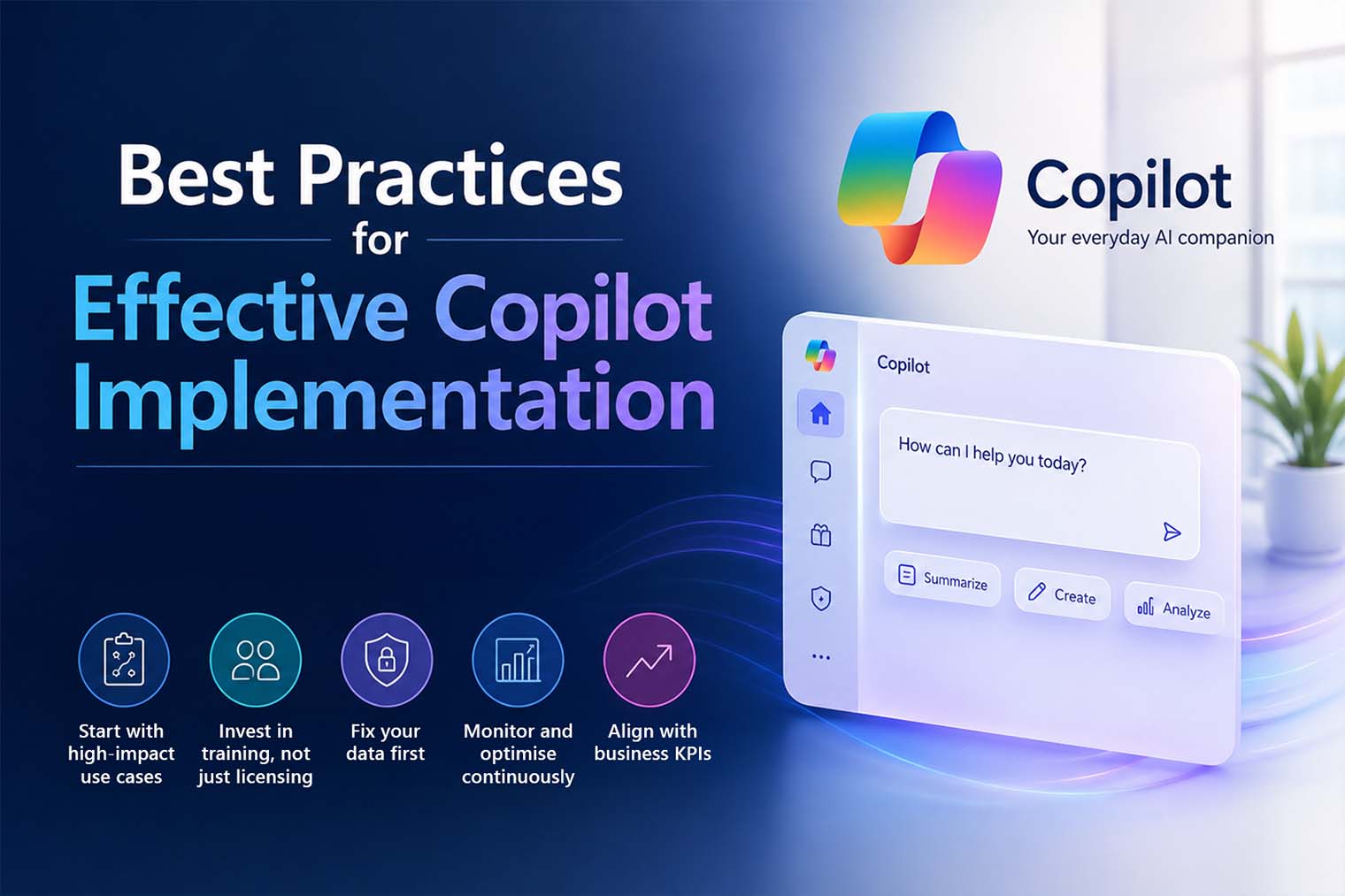
Enterprises gain substantial value from Microsoft Copilot by using a focused, strategic approach instead of relying only on deployment.
- Start with high-impact use cases: Prioritise functions where time savings directly impact revenue or decision-making.
- Invest in training, not just licensing: Adoption drives ROI. Well-trained teams consistently extract more value.
- Fix your data first: Clean, structured, and secure data is critical for accurate and reliable outputs.
- Monitor and optimise continuously: Track usage, identify gaps, and refine use cases to improve outcomes.
- Align with business KPIs: Measure success based on business impact, not just IT adoption metrics.
Conclusion
Microsoft Copilot serves as a productivity multiplier with the potential to redefine organisational workflows. However, its true value is realised through strategic implementation and effective scaling.
Successful adoption depends on three critical factors:
- Strategic licensing to manage costs and maximise organisational impact
- Thoughtful implementation that aligns with core business priorities
- Clear measurement of return on investment to demonstrate and scale value
Enterprises that approach Copilot as a transformation initiative, rather than merely a software add-on, consistently achieve stronger and measurable returns.
As a trusted Microsoft solutions partner, Mercurius IT supports organisations in advancing beyond experimentation by designing effective Copilot strategies, ensuring secure implementation, and delivering measurable business outcomes from the outset.
Frequently Asked Questions
How much does it cost to use Microsoft Copilot?
Microsoft Copilot typically costs around £23.10 per user/month (excl. VAT) in the UK as an add-on to Microsoft 365. However, total enterprise cost depends on existing licences (E3, E5, or Business plans) and additional expenses like training, implementation, and governance.
Is Copilot as good as ChatGPT?
Microsoft Copilot and ChatGPT serve different purposes. Copilot is integrated into business tools like Microsoft 365 and uses your organisational data, making it ideal for enterprise workflows. ChatGPT is more flexible for general use, but Copilot is better suited for business productivity and secure, context-aware tasks.
Do companies pay for Microsoft Copilot?
Yes, companies pay for Microsoft Copilot as a per-user subscription add-on to Microsoft 365. Most enterprises start with a pilot group and then scale based on ROI, rather than rolling it out to all employees at once.
Is Microsoft Copilot available for enterprise?
Yes, Microsoft Copilot is fully available for enterprise use through Microsoft 365 Copilot and other Copilot offerings across Dynamics 365 and Power Platform. It is designed with enterprise-grade security, compliance, and data privacy controls.
Is Microsoft Copilot good for business?
Yes, Microsoft Copilot is highly valuable for businesses. It helps save time, automate repetitive tasks, improve decision-making, and increase productivity. Organisations see the most benefit when it is implemented strategically and aligned with key business use cases.
What is the difference between Copilot Business and Copilot Enterprise?
The main difference lies in scale, security, and capabilities.
- Copilot for Business is designed for small to mid-sized organisations with standard features.
- Copilot for Enterprise is built for larger organisations, offering advanced security, compliance (E5), scalability, and deeper integration with enterprise data and workflows.