
Quick Summary
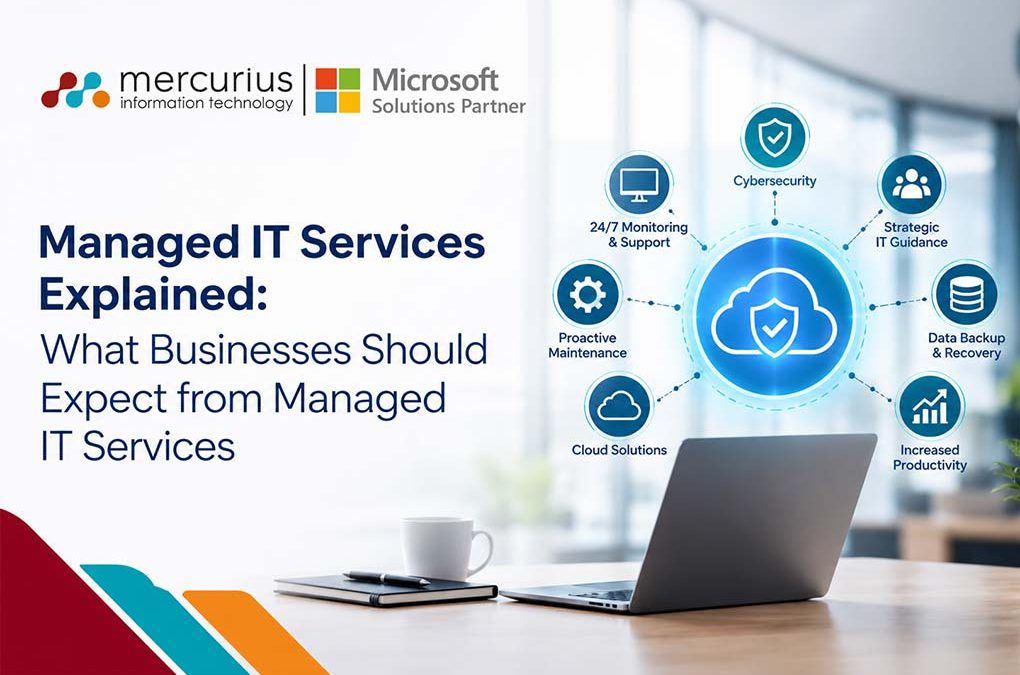
Cold Managed IT services provide proactive support, security, monitoring, backup solutions, implementation assistance, workplace management, Azure spend cost optimisation and strategic guidance. These services help organisations reduce IT risks, control costs, and prevent operational disruptions.
Key Takeaways
- Managed IT services proactively address issues through continuous monitoring and timely patching, whereas break-fix models provide support only after problems have occurred.
- Comprehensive managed IT services typically include implementation, helpdesk support, monitoring, security, backup, cloud management, Azure spending cost optimisation and regular reviews.
- The choice of service model, like fully managed, co-managed, application-led, or security-led, should be determined by the specific requirements and primary risks of the IT environment.
Introduction
It is half past four in the afternoon on a Friday and your email is not working; the ERP won’t load either and your only IT staff member is on leave.
Does this sound familiar? In that case you already know the costs associated with reactive IT.
Recent data indicate that 43% of businesses in the UK experienced a cyber breach or attack in the past year, yet only 25% have a formal incident response plan. Consequently, many organisations address such incidents on an ad-hoc basis.
Managed IT services address these challenges through proactive, outsourced administration of an organisation’s infrastructure, cyber security, and end-user support. However, the scope of “managed IT” varies considerably among providers: some offer end-to-end managed IT services, while others may offer only basic support, such as helpdesk provision and identity management, and others assume comprehensive responsibility for systems architecture, security posture & service availability.
So what should you actually expect from managed IT services? What should it cost? And how do you identify a provider who’ll deliver? Let’s break it down.
What are Managed IT Services?
Managed IT services involve a specialist provider who continuously monitors, supports, secures, and improves your IT systems. Depending on the business, this can range from managing day-to-day IT operations end-to-end to extending an existing internal IT team with specialist expertise. It can cover workplace management, cloud operations, infrastructure, security, application support, implementation and ongoing optimisation.
With a break-fix, you pay when it’s on fire. With managed IT, you pay to prevent the fire. Simple, right?
Want the full service list? See our Managed IT Services.
What Should you Expect from Managed IT Services?
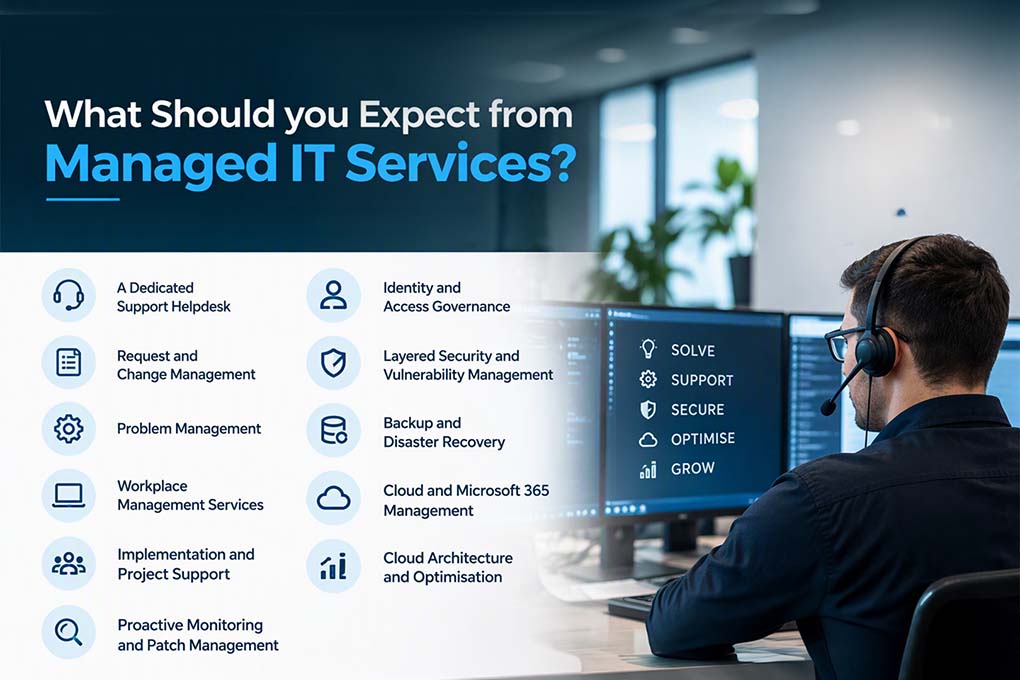
Managed IT services should cover the operational, workplace, cloud, security and strategic needs of your business. The exact scope will vary, but a comprehensive service should be able to support the following areas.
1. A Dedicated Support Helpdesk: An effective helpdesk assigns a ticket, owner, and response time to every issue. For example, Mercurius IT uses the MaxCare Application Support portal to manage these tasks.
2. Request and Change Management: Standard requests are fulfilled through a defined service catalogue, while changes are assessed, approved and scheduled to limit business disruption and failed releases.
3. Problem Management: Recurring incidents are analysed to identify root causes, so that permanent fixes replace repeated workarounds.
4. Workplace Management Services: Managed IT should support the technology employees use every day, from laptops, desktops and mobile devices to user accounts, Microsoft 365 and endpoint configuration. Device management, onboarding and offboarding, software deployment and policy enforcement help create a consistent and secure digital workplace. A maintained asset register and configuration management database show how these components relate to one another.
5. Implementation and Project Support: Managed IT can also provide implementation support when new technologies, systems or services are introduced. This may include planning, configuration, migration, deployment, integration and post-implementation support, helping businesses move from project delivery into stable day-to-day operations.
6. Proactive Monitoring and Patch Management: Continuous monitoring of servers, laptops and networks, combined with timely security patching, helps address vulnerabilities before they can be exploited.
7. Identity and Access Governance: Access is granted on the principle of least privilege, reviewed regularly and removed promptly when roles change or staff leave. Multi-factor authentication and privileged access controls reduce the risk of compromised credentials.
8. Layered Security and Vulnerability Management: Layered cybersecurity is essential. For example, phishing affected 38% of UK businesses and was the most disruptive attack for 69% of those impacted. Effective measures include email filtering, endpoint protection, multi-factor authentication, staff awareness training and regular vulnerability scanning with prioritised remediation.
9. Backup and Disaster Recovery: Effective protocols require regular, documented backup testing to verify data integrity and recoverability, rather than relying on unverified assumptions.
10. Cloud and Microsoft 365 Management: This should include device administration with Intune and hosting or migration services through Azure. Comprehensive support for Azure services and data migration is recommended, extending to ongoing cloud operations: monitoring workloads, managing environments, maintaining availability, resolving operational issues and keeping cloud services aligned with business requirements.
11. Cloud Architecture and Optimisation: Managed IT can also extend beyond day-to-day administration. A provider should be able to help architect cloud environments, review existing infrastructure and recommend improvements to performance, resilience, security and scalability.
Managed IT Services Build Around Your Business
Proactive Plan
The full managed service, with 24×7 monitoring and daily operational checks.
- 24×7 monitoring and alerting on a dedicated engineer screen
- Daily checklists and morning health checks
- Patching, backup and disaster recovery monitoring, with quarterly DR testing
- Dedicated Technical Account Manager and monthly service and performance reporting
- Monthly consumption clinic (FinOps), plus architecture and roadmap guidance
- Weekend and bank holiday cover available
Reactive Plan
Business-hours, break-fix support for Azure infrastructure. Available where Azure CSP and billing have moved to Mercurius, with CSP licensing and billing management included at no additional service charge.
Unified Hours Plan
A pre-purchased bank of hours for change requests, development, consulting, ad hoc monitoring and out-of-hours work.
- Proactive activity can be delivered under Reactive with prior notification
- Break-fix beyond one hour, and Proactive-only work under Reactive, needs prior approval
- Ad hoc 24×7 monitoring for specific services and date ranges, drawn from the same bank
Managed IT Built Around Your Business
Which Managed IT Model is Right for You?
Managed IT does not require transferring your entire IT function. You can select the level of responsibility that suits your organisation, from a fully managed service where the provider oversees daily operations to a co-managed model where your internal team remains active and the provider addresses specific capability or capacity needs.
The right model depends on your organisation’s needs. We can help you identify the best fit.
Scenario 1: “We don’t have an IT person. Our office manager is constantly putting out fires.”
Choose a fully managed service. One provider takes responsibility for your agreed IT environment, including helpdesk, workplace management, security, cloud operations, cost optimisations, backups, implementation projects and ongoing optimisation.
Scenario 2: “We have one IT person, but they are overwhelmed.”
Consider a co-managed IT approach. Your IT lead handles daily operations, while the provider offers specialist expertise, after-hours support, and additional backup.
Scenario 3: “We use Dynamics 365, Power Platform, or Azure.”
You will need support for both applications and infrastructure. Standard helpdesk services cannot resolve complex ERP workflow issues. Explore our Dynamics 365 support services.
Scenario 4: “We have had a security incident, or compliance requirements are urgent.”
Start with a security-focused approach. Address immediate gaps, then expand your services as needed.
Scenario 5: “We have a team but still need a specialist to head the entire Managed IT operations.”
Choose an extended Managed IT service model. Your in-house team stays in place, while a specialist external team delivers additional expertise, capacity, and operational support in areas such as cloud, security, workplace management, implementation, and infrastructure.
Select the scenario that matches your needs, then choose the appropriate Managed IT services provider.
How to Choose the Right Managed IT Services Provider
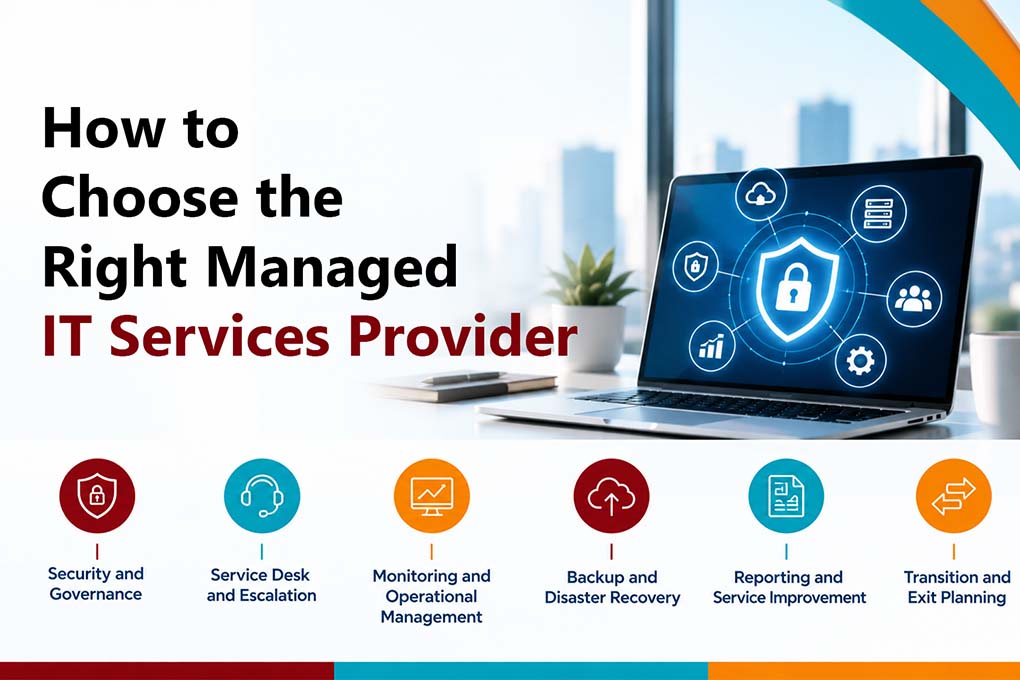
Choosing a managed IT services provider is more than comparing packages. It is about finding a Managed IT services partner that can protect your environment, take ownership during incidents and support your organisation as it evolves.
Before selecting a provider, assess the following areas:
Security and Governance
Confirm how the provider protects privileged access, manages credentials, monitors vulnerabilities and responds to security incidents. Ask for evidence of relevant certifications, documented security policies and clear responsibilities between your organisation and the provider.
Service Desk and Escalation
Understand how incidents and service requests are logged, prioritised and escalated. Your provider should define ownership, severity levels, response targets, communication procedures and access to senior technical expertise when an issue affects critical systems.
Monitoring and Operational Management
A credible managed service should do more than respond to tickets. Ask what is monitored, how alerts are triaged, what activities are performed proactively, and how problem management identifies and eliminates recurring issues.
Backup and Disaster Recovery
Do not stop at asking whether backups exist. Confirm backup frequency, retention, recovery point objectives, recovery time objectives and the schedule for restore testing and disaster recovery exercises.
Reporting and Service Improvement
Regular reporting should show service performance, recurring incidents, security risks, unresolved issues, asset health and upcoming priorities. A mature provider should use these reviews to improve the environment, not simply report on ticket volumes.
Transition and Exit Planning
The onboarding process should include asset discovery, documentation, access review, risk assessment and a clear transition plan. Your contract should also explain data ownership, documentation handover, access removal and support responsibilities if the relationship ends.
The right managed IT service provider should give you more than technical support. It should provide operational visibility, stronger governance, and a clear path to improve the resilience, security, and performance of your IT environment.
How does Mercurius IT Approach Managed Services?
Our approach extends beyond basic operational maintenance. Mercurius IT has supported UK businesses of all sizes and across a broad range of industries since 2005. We are a Microsoft Solutions Partner for Business Applications, with expertise spanning Azure Infrastructure, Data & AI, Modern Work, and Digital & App Innovation. Microsoft Cloud Solution Provider delivering full CSP lifecycle, licensing, billing and governance management.
Not sure where you stand today?
Request a managed services proposal. We’ll review your setup and show you what a better one looks like.
Frequently Asked Questions
What do managed IT services include?
Managed IT services can include helpdesk and workplace management, monitoring, patching, cybersecurity, backup and disaster recovery, cloud operations, Microsoft 365 management, implementation support, cloud optimisation and strategic IT reviews. The exact scope depends on the provider and selected service model.
What is the difference between fully managed and extended managed IT services?
Fully managed IT services transfer responsibility for the agreed IT environment to an external provider. Extended managed IT services work alongside an existing internal team, providing additional skills, capacity and specialist support where required.
How much do managed IT services cost per user?
In the UK, managed IT services costs typically start as low as £40 per user per month. However, costs vary depending on the chosen plans and inclusions. For instance, a higher-tier plan may include 24×7 support, advanced security, and dedicated engineers, and cost more than the starting price.
Managed IT vs in-house IT: which is better?
Managed IT services generally offer advantages in cost, coverage, and specialist expertise, while in-house teams provide on-site presence. Many organisations choose a combination of both approaches.
What is co-managed IT?
With co-managed IT, your internal team collaborates with an external provider. You retain control of daily support while gaining additional expertise, enhanced security, and out-of-hours coverage.