
Quick Summary
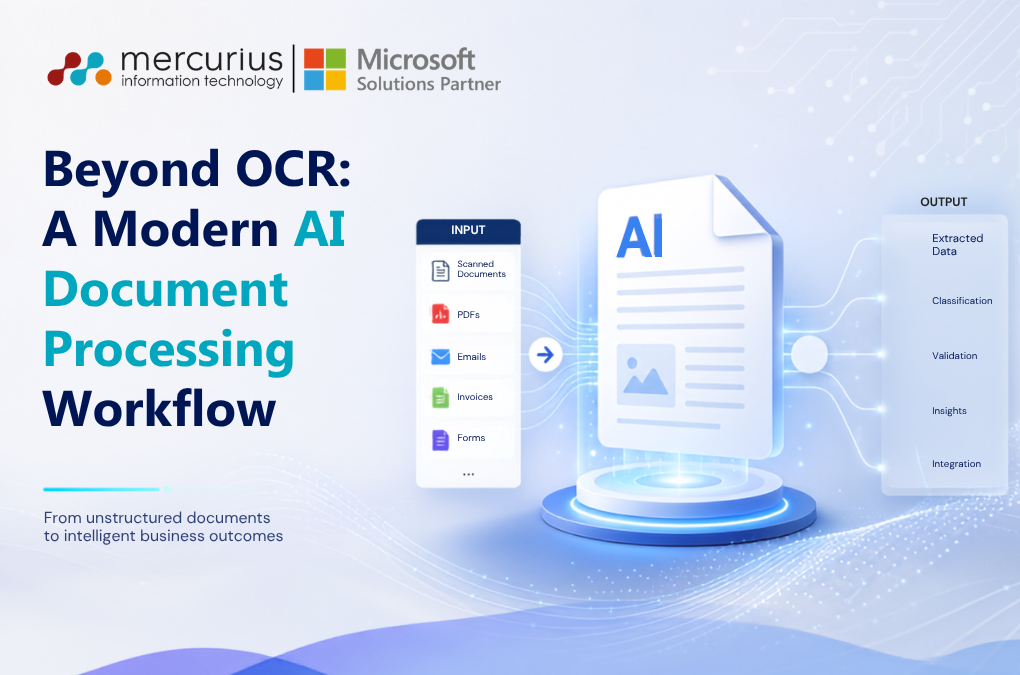
Mercurius IT has developed an AI-powered Intelligent Document Processing workflow that uses Azure AI Document Intelligence to extract structured data from business PDFs such as invoices, packing slips, delivery notes and orders. The reusable architecture combines Azure AI, Logic Apps and Azure Functions with human-in-the-loop validation to automate document processing, reduce manual effort and support scalable customer onboarding.Key Takeaways
- AI Document Intelligence replaces customer-specific PDF parsing logic with reusable AI extraction models.
- Custom models can be trained using just 4–5 sample documents for customer-specific layouts.
- Azure Logic Apps orchestrates the workflow, from detecting incoming PDFs through to processing and error handling.
- Azure Functions transform extracted JSON into Excel, JSON, XML or CSV formats required by the customer.
- Human-in-the-loop validation flags low-confidence documents below the stated 80% confidence threshold.
- The implementation reports 80–95% reduction in manual effort and up to 90% reduction in processing time.
- The architecture enables up to 70% faster customer onboarding, because only the AI model and field mappings need to be updated.
- The workflow can achieve 85–95% straight-through processing, according to the stated implementation metrics.
In modern supply chain and logistics environments, documents like packing slips, vendor invoices, delivery notes, and orders can create severe operational bottlenecks while processing manual data entry is not only time consuming but also prone to human error. To solve this, we implemented a fully automated Intelligent Document Processing workflow that seamlessly extracts business data from incoming PDFs and transforms it into structured data which can be transmitted via API, or export to required file formats (Excel, Json, XML or CSV) to create relevant transaction document in Business Central.
But what if documents could understand themselves?
That’s exactly the challenge we set out to solve.
Instead of building customer-specific parsing logic for every document layout, we designed an intelligent, reusable platform powered by Azure AI Service – Document Intelligence that transforms PDFs into structured business data automatically.
Here is a look under the hood at how our AI-Powered Intelligent Document Processing Workflow operates using Microsoft Azure Services.
The Challenge
Different customers use different document layouts.
Traditional automation often means:
- Writing custom parsing logic
- Maintaining separate workflows
- Rebuilding integrations for every customer
- High maintenance costs
Our objective was simple:
Build one platform that can process documents from multiple customers with minimal changes during onboarding.
The result is a scalable AI-driven architecture where only the AI model is retrained for a new customer, while the remaining pipeline stays exactly the same.
Solution Overview
The solution combines several Azure services into one intelligent automation pipeline.
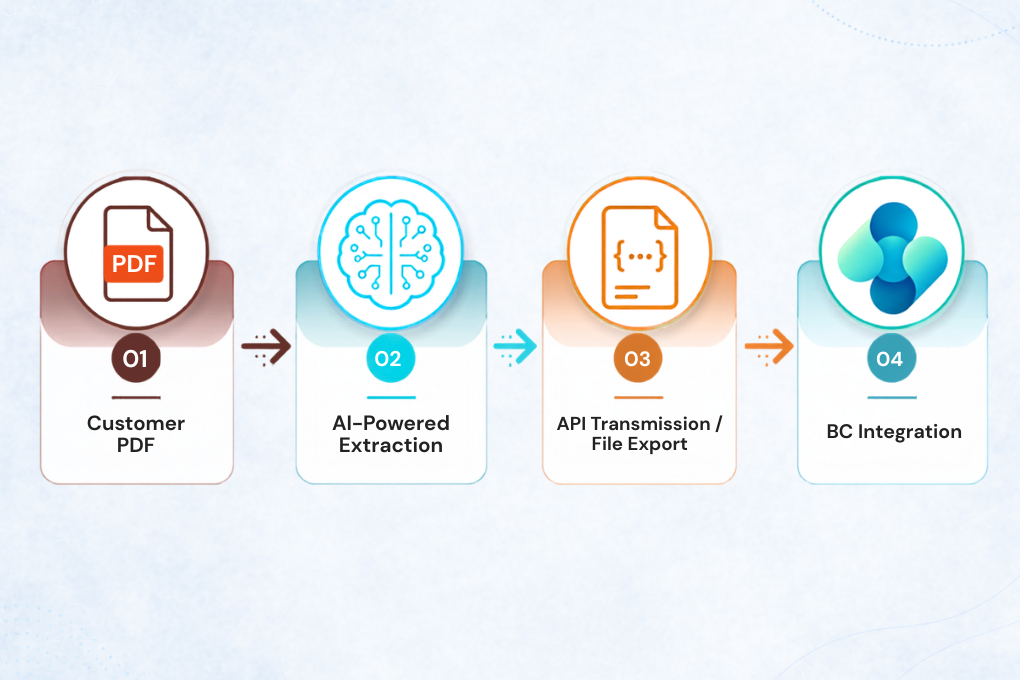
The entire workflow runs automatically without manual intervention.
The Core Architecture
Our solution leverages four primary components to build a hands-off, highly scalable pipeline:
Azure AI Document Intelligence (The AI Engine/The AI Brain): With Few-Shot Learning the AI Engine start extracting data. We build custom extraction models tailored to specific customer document layouts. It uses custom models trained on just 4-5 sample documents to locate critical header fields and complex line items.
Azure Logic Apps (The Orchestrator): Running on a 5-minute polling cycle, our Logic App continuously monitors the incoming Blob Storage/SFTP folder. The moment a PDF drops, it triggers the entire workflow, handing the file over to our AI models and managing the data transformations in between and error handling.
Azure Functions (The Builder): Act as a transformation Engine. A custom Python script hosted on Azure that translates the extracted, structured JSON data into the required format (Excel, Json, XML or CSV) required by the customer.
The Quality Gate (Human-in-the-Loop): A built-in confidence threshold automatically flags unusual layouts or low-quality scans (<80% confidence) for human review, maintaining 99.5% document-level accuracy on straight through processing.
Scalability by Design
The biggest engineering decision wasn’t choosing an AI Service.
It was separating customer-specific intelligence from platform logic.
When onboarding a new customer:
✔ Train a new Document Intelligence model
✔ Update field mappings
✔ Keep the orchestration unchanged
✔ Reuse the same infrastructure
This dramatically reduces implementation effort while improving maintainability.
Reliability Matters
Automation is valuable only when it’s reliable.
The platform therefore includes:
- Automatic retries and orchestration workflow
- Run history
- Error tracking
- Configurable alerts
- Confidence validation
- End-to-end monitoring
These capabilities provide transparency into every stage of processing and help ensure documents are never silently lost.
Business Impact
| Metric | Typical Impact |
|---|---|
| Manual effort | Reduce 80 – 95% |
| Processing time | Reduce up to 90% |
| Processing accuracy | 92–99.5% (depending on document quality) |
| Customer onboarding effort | Up to 70% Faster Customer Onboarding (only AI model retraining required) |
| Automation rate | 85 – 95% Straight-Through Processing |
| Scalability | Unlimited customer onboarding with reusable architecture |
Mercurius IT: Built for Real-World Operations

Mercurius IT brings together Microsoft cloud expertise, operational understanding, and practical automation delivery. We do not just build AI workflows that extract data from documents. We design solutions that fit the realities of warehouse, logistics, finance, and supply chain operations.
✔ Microsoft-first solutions built around Azure, Dynamics 365, and Business Central
✔ Reusable automation frameworks that reduce implementation effort and long-term maintenance
✔ Practical AI adoption focused on accuracy, visibility, and measurable business outcomes
✔ Deep experience across document-heavy operational environments where speed and reliability matter
✔ End-to-end delivery support from solution design to integration, monitoring, and continuous improvement
For organisations looking to move beyond manual document handling, Mercurius IT provides a scalable and commercially practical route to intelligent automation. The focus is simple: reduce operational friction, improve data confidence, and help teams process business-critical documents faster with the Microsoft technologies they already trust.
Frequently Asked Questions
What is AI document processing?
AI document processing uses artificial intelligence to extract relevant information from documents such as invoices, packing slips, delivery notes and orders and convert it into structured business data for downstream processing.
How does Azure AI Document Intelligence process business documents?
Azure AI Document Intelligence uses custom extraction models to identify and extract key header fields and line items from customer-specific document layouts. The models can be trained using a small set of sample documents and integrated into an automated processing workflow.
Can AI document processing handle different document layouts?
Yes. The workflow can support different customer document layouts by training a separate Document Intelligence model and updating field mappings while keeping the underlying orchestration and infrastructure unchanged.
Can the extracted data be integrated with Business Central?
Yes. The workflow transforms the extracted structured data into formats such as Excel, JSON, XML or CSV, which can then be transmitted via API or used to create relevant transaction documents in Business Central.
How does the workflow handle inaccurate or low-confidence documents?
A human-in-the-loop quality gate flags documents that fall below the configured confidence threshold for review. In the described implementation, documents with less than 80% confidence are automatically flagged for human validation.
What business documents can AI document processing automate?
The workflow is designed for document-heavy processes involving PDFs such as vendor invoices, packing slips, delivery notes and orders. The extracted information can then be transformed into the format required by downstream business systems.
How much manual effort can intelligent document processing reduce?
The implementation described reports an 80–95% reduction in manual effort, with processing time reduced by up to 90%, depending on the document and workflow.
How quickly can new customers be onboarded?
The reusable architecture allows new customers to be onboarded by training a new Document Intelligence model and updating field mappings, without rebuilding the core orchestration or infrastructure. The implementation reports up to 70% faster customer onboarding.